🎈Winter Savings Special Sale 🎁
00
DAYS
00
HRS
00
MINS
00
SECS


Voice AI in HighLevel revolutionizes customer communication by providing natural, automated interactions that save time and improve efficiency. From handling inbound calls to performing real-time updates in your CRM, HighLevel’s voice ai combines advanced speech recognition and natural language processing (NLP) to create a seamless experience for businesses and customers.
This guide dives into how you can use Voice AI in HighLevel to elevate your operations, detailing setup, use cases, and costs, making it easier than ever to adopt this game-changing technology.
Voice AI in HighLevel is a feature designed to automate voice-based customer interactions. It uses artificial intelligence to interpret and respond to human speech, making it an invaluable tool for managing calls, capturing data, and ensuring 24/7 support.
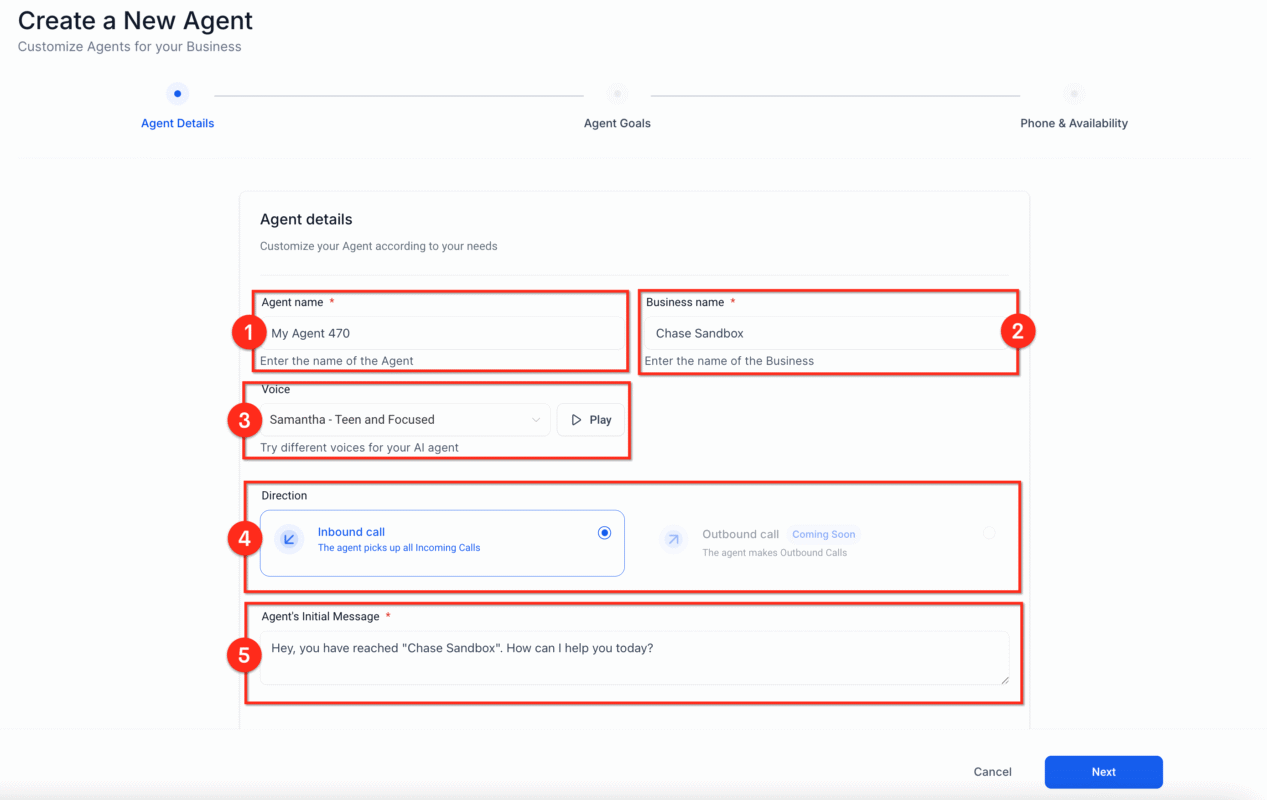
Streamlined Operations Automate repetitive tasks like answering FAQs or updating customer information, freeing your team to focus on more complex issues.
Enhanced Customer Experience: Provide round-the-clock assistance with natural, engaging interactions that mimic human responses.
Increased Efficiency: Handle multiple calls simultaneously, reducing wait times and improving customer satisfaction.
Cost-Effectiveness: Save on staffing costs by automating routine call handling without compromising service quality.
Actionable Insights Voice AI logs interactions, offering insights into customer behavior and opportunities for improvement.
LC Phone Number:
Priced at $1–$2 per month, required to activate Voice AI.
HighLevel Account:
Active sub-account to implement Voice AI.
Voice AI Activation:
Enable Voice AI in Conversation AI Settings and assign the LC Phone Number.
Training Data:
Upload FAQs and workflows to train the AI.
Workflow Integration:
Configure workflows for actions like scheduling and data updates.
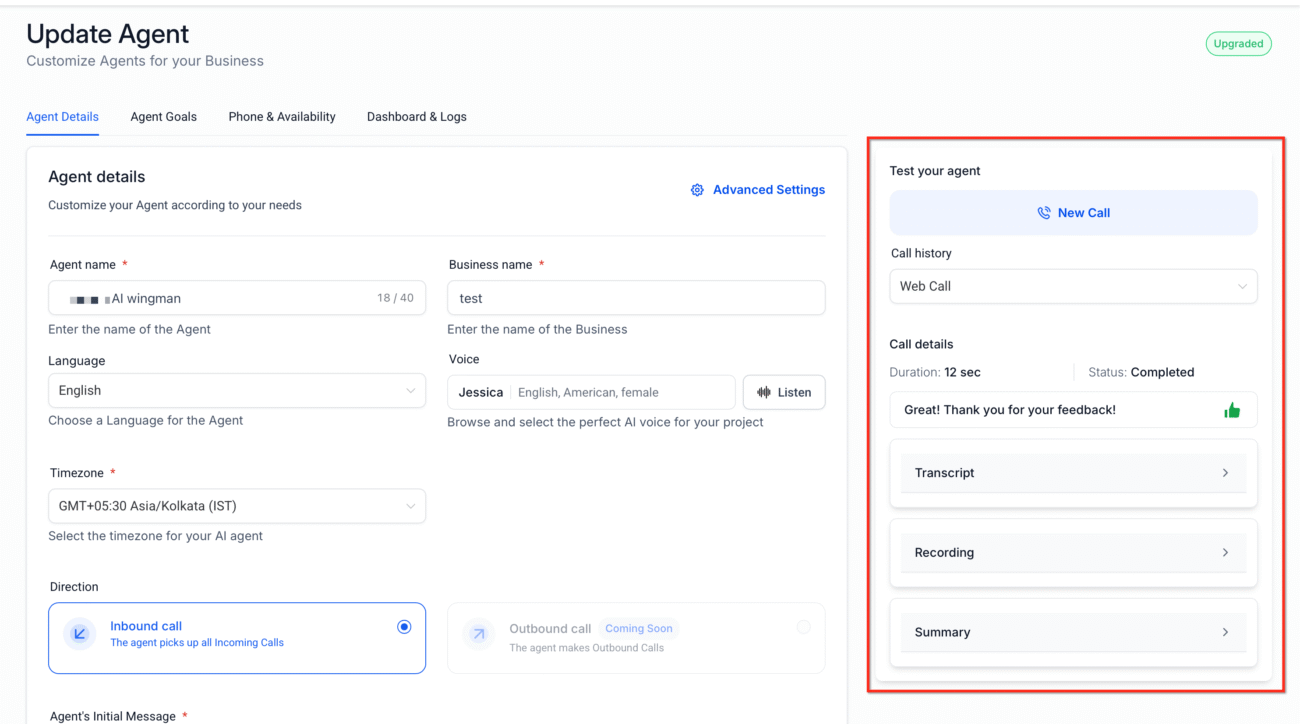
Step 1: Activate LC Phone System
Voice AI works exclusively with LC phone numbers. Set up or migrate your numbers in HighLevel’s LC Phone System.
Navigate to Settings > Phone System.
Purchase or assign a phone number.
Ensure the number is not currently configured for other services like IVR.
Step 2: Configure Your AI Agent
Go to Settings > Conversation AI.
Enable Voice AI and assign a phone number.
Customize responses and define agent goals, such as:
Collecting customer information.
Answering FAQs.
Routing calls to human agents.
Step 3: Train the AI
Upload training data, including FAQs and sample responses.
Use the Bot Trial feature to simulate conversations and refine performance.
Gather feedback to improve accuracy and effectiveness.
Step 4: Test and Deploy
Test call flows and verify functionality in real-world scenarios.
Deploy the AI agent to handle live calls, ensuring seamless operation.
LC Phone Number
To use Voice AI in HighLevel, you need an LC phone number. These numbers are priced affordably at $1–$2 per month per number, ensuring accessibility for businesses of all sizes.
Voice AI Usage Models
HighLevel offers two models for Voice AI usage to suit different business needs:
Pay-As-You-Go Model
Cost: $0.02 per minute of interaction. This model is ideal for businesses with unpredictable or low call volumes, allowing you to pay only for the minutes used.
Unlimited Usage Model
Cost: $49 per subaccount per month. This model is best for businesses with high call volumes, providing unlimited Voice AI interactions for a flat monthly fee.
Customer Support
Automate responses to common questions, such as operating hours or refund policies. Route complex issues to human agents, ensuring high-touch service.
Appointment Scheduling
Collect details and trigger workflows to book appointments seamlessly.
Important Note: HighLevel’s Voice AI agent does not directly schedule appointments. Instead, it collects necessary customer details during the call and triggers a workflow that integrates with your calendar system to schedule the appointment.
Lead Qualification
Engage prospects through calls, qualify leads, and update their status in the CRM.
Internal Operations
Use Voice AI to long meeting notes or update staff availability.
No, Voice AI cannot schedule appointments directly. It gathers details and initiates workflows to manage appointment booking through your integrated calendar.
No, Artificial Intelligence for Voice is only compatible with LC Phone System numbers.
Yes, HighLevel Voice AI supports multiple languages but may require training for specific dialects.
Absolutely. You can tailor the AI agent’s replies to match your brand’s tone and frequently asked questions.
You can configure fallback actions, such as transferring the call to a human agent or collecting information for follow-up.
HighLevel’s Artificial Intelligence for Voice Feature is a powerful tool for businesses looking to improve customer communication and operational efficiency. By combining advanced AI capabilities with seamless CRM integration, it provides a robust, scalable solution for modern businesses. Whether you’re managing a growing customer base or optimizing internal workflows, Voice AI in HighLevel offers unmatched versatility and value.
Take the first step toward smarter communication by exploring Voice AI in HighLevel today. It’s not just a tool it’s a transformational shift in how businesses connect with their customers.

If you’ve ever struggled with A2P 10DLC registration, you know how confusing and rejection-prone the process can be. One small

Build Powerful Workflows Just by Speaking Imagine building a complete automation without typing a single word. No clicking through triggers.

Design smarter. Move faster. Stop switching tabs. If you’ve ever designed something in Canva, downloaded it, uploaded it into your

The Smart Way to Re-Engage Leads Without Manual Work Leads don’t always ghost you on purpose. Sometimes they get busy.

AI automation is evolving fast. If you’ve ever wished you could fully control AI tasks inside your CRM without relying

Build Powerful Workflows Just by Speaking Imagine creating an entire workflow without touching your keyboard. No typing. No complicated setup.

Pick a design that fits your brand.

Integrate it seamlessly.

Tailor it to your business needs.

Start generating leads and sales.
No account yet?
Create an AccountWe use cookies to improve your experience on our site. By using our site, you consent to cookies.
Websites store cookies to enhance functionality and personalise your experience. You can manage your preferences, but blocking some cookies may impact site performance and services.
Essential cookies enable basic functions and are necessary for the proper function of the website.
These cookies are needed for adding comments on this website.
Google reCAPTCHA helps protect websites from spam and abuse by verifying user interactions through challenges.
These cookies are used for managing login functionality on this website.
Stripe is a payment processing platform that enables businesses to accept online payments securely and efficiently.
Service URL: stripe.com (opens in a new window)
Statistics cookies collect information anonymously. This information helps us understand how visitors use our website.
Google Analytics is a powerful tool that tracks and analyzes website traffic for informed marketing decisions.
Service URL: policies.google.com (opens in a new window)
Clarity is a web analytics service that tracks and reports website traffic.
Service URL: clarity.microsoft.com (opens in a new window)
SourceBuster is used by WooCommerce for order attribution based on user source.
You can find more information in our Privacy Policy and .



