🎈Winter Savings Special Sale 🎁
00
DAYS
00
HRS
00
MINS
00
SECS


Creating high-converting visuals shouldn’t require a design degree or expensive software. Whether you’re building landing pages, sending email campaigns, or sharing content on social media, visuals play a huge role in grabbing attention and conveying your message.
That’s where Ask AI in GoHighLevel steps in—now equipped with powerful image generation and editing features that make it easier than ever to create eye-catching graphics in just seconds. You can use simple, natural prompts to generate or refine visuals without leaving your dashboard or touching a design tool.
Whether you’re a solopreneur, agency owner, or digital marketer, this new feature unlocks massive creative potential with minimal effort.
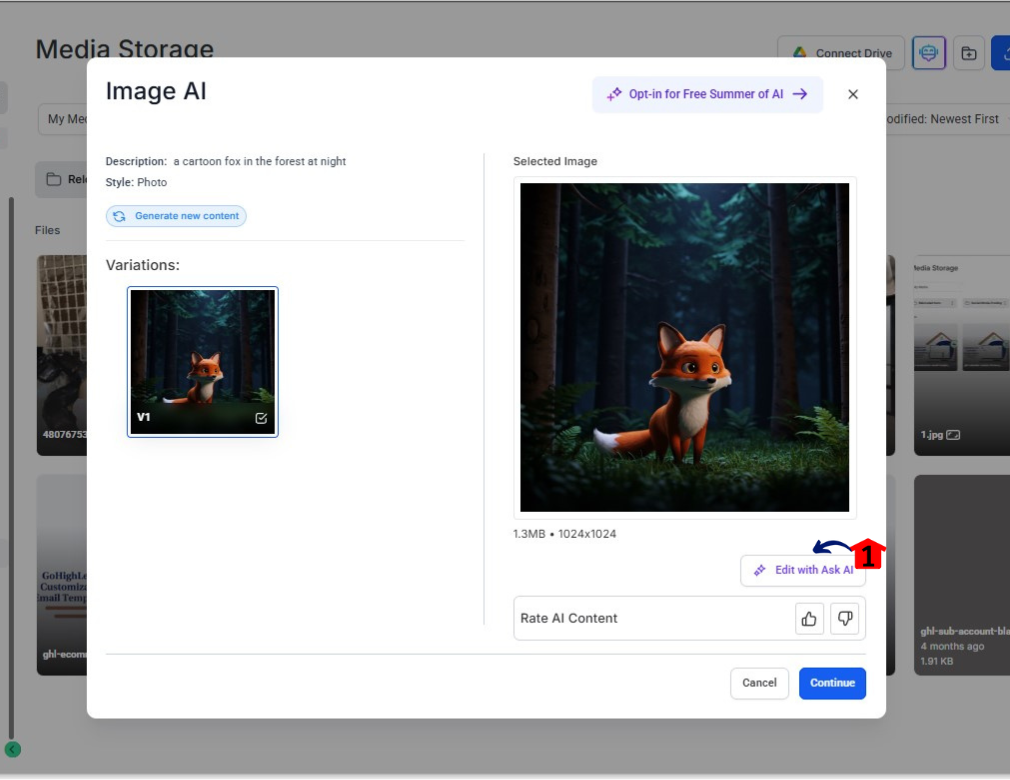
Ask AI is HighLevel’s built-in assistant that allows you to create content using artificial intelligence. Now it extends its power to visual content, helping you:
It’s all about boosting creativity while minimizing complexity.
Image generation in Ask AI is as easy as typing what you want. Instead of searching stock sites or hiring a designer, just describe your vision in words—and let the AI do the rest.
Open Ask AI in your GoHighLevel dashboard.
Enter a descriptive prompt such as
“Create an image of a businesswoman working on a laptop in a modern office, cartoon style.”
Ask AI delivers several image options based on your request.
Choose your favorite and click Save to store it in the Media Library.
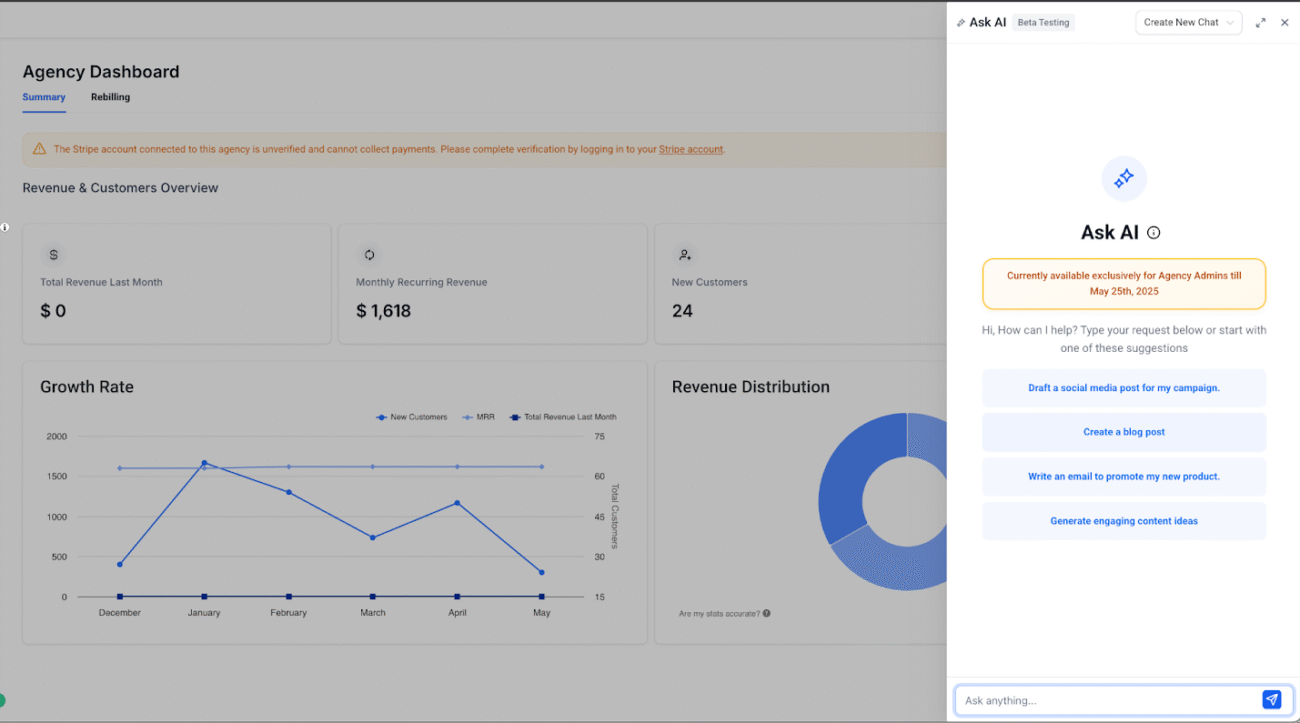
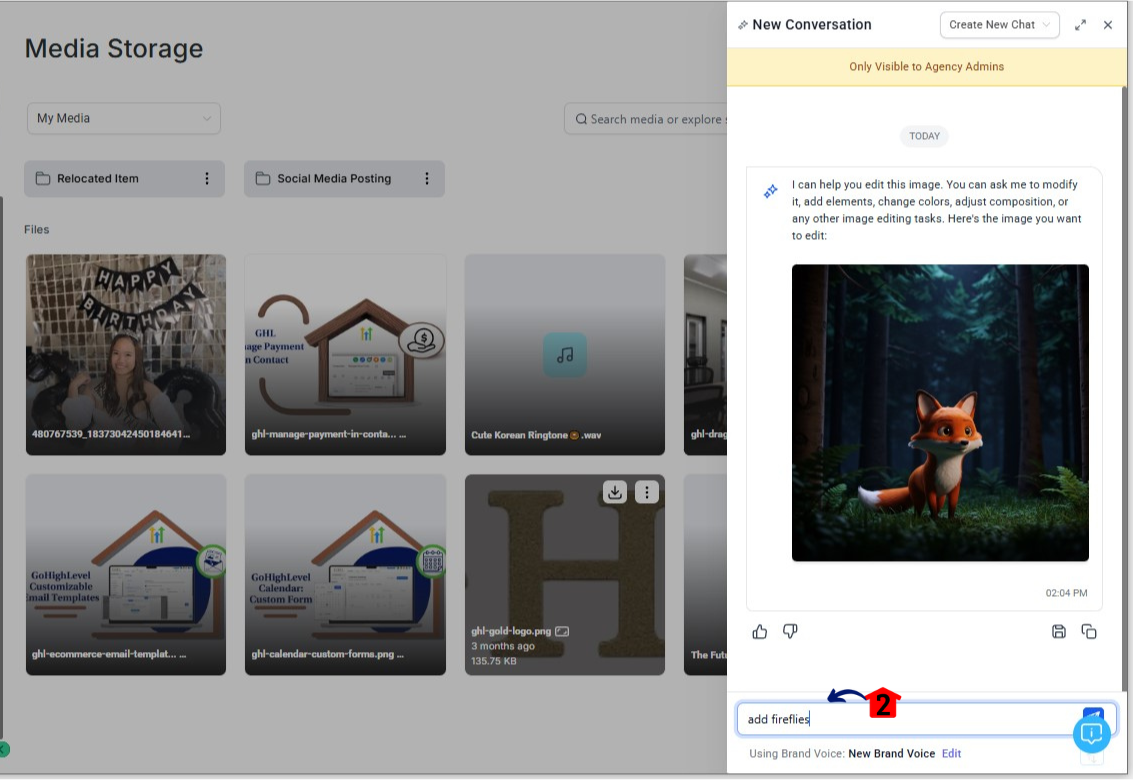
Image editing with Ask AI is where things get even more exciting. You can make changes to images in seconds—whether it’s removing objects, changing colors, or adding new elements.
There are two ways to start editing:
From the Content AI Image Modal
Select any image in your workspace
Click the ✏️ icon labeled “Edit with Ask AI”
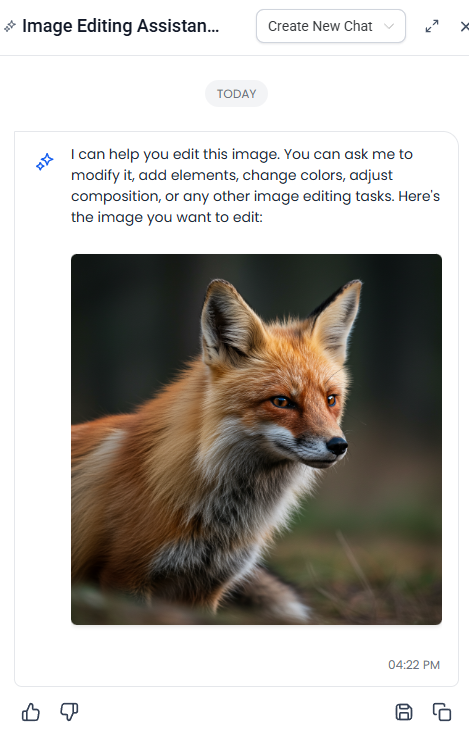
2.From Ask AI Directly
Use a prompt like:
“Change the background to a city skyline at night”
“Add a product label on the bottle”
Ask AI is built to automatically detect whether your prompt is meant to generate or edit an image. You don’t need to specify. It identifies your intent and responds accordingly.
Each edit is tied to a specific image variation, so nothing gets lost
When you reopen the image, Ask AI brings up your previous session history
You can build upon your edits in a conversational, iterative flow
This is especially helpful for agencies or marketing teams who often revisit projects over time.
📝 Note: Edits or generations completed through Ask AI are only visible in the Ask AI history (not in the Content AI modal history).
Once you’re happy with your image:
From there, it’s drag-and-drop into:
This tight integration with GoHighLevel tools makes your visuals instantly usable across your entire marketing stack.
Ask AI’s image tools are currently not billed separately. You simply need to have one of the AI access options enabled on your account.
| Plan | Cost | Includes Image Tools |
|---|---|---|
| AI Employee Access | $97/month | ✅ Yes (unlimited use) |
| Content AI Pay-Per-Use | Usage-based fees | ✅ Yes (usage applies) |
You can enable either plan in your Agency Settings > AI Features.
👉 No matter which method you choose, there are no added fees for generating or editing images at this time.
Here are just a few examples of how real businesses are using this feature to save time and create better content:
Create branded visuals for client websites and landing pages
Edit social media graphics on the fly during client meetings
Design product feature banners and lifestyle shots
Quickly replace outdated backgrounds without reshooting
Design banners for limited-time campaigns
Split-test visual CTAs with different colors or layout variations
Generate trending visuals using seasonal or event-based prompts
Edit previously used templates to keep content fresh
Yes! You can edit both AI-generated images and those uploaded manually from your computer or pulled from your Content AI modal.
Your saved images go directly into the Media Library. You can find and reuse them in websites, emails, or social campaigns.
Absolutely. Ask AI tracks your session history for each image. When you reopen an image, you can continue editing from where you left off.
It’s included in the AI Employee ($97/month) or Pay-Per-Use for Content AI plans. There’s no extra charge for using the image tools at this time.
No. Edits and generations via Ask AI are stored only inside Ask AI’s session history (not Content AI history).
With Ask AI’s new image generation and editing tools, HighLevel has once again raised the bar for smart marketing automation. Whether you need quick visuals for your email, fine-tuned images for your landing pages, or unique creatives for your social campaigns—Ask AI delivers.
You no longer need to outsource simple visual tasks or waste time jumping between design tools. Everything you need is now inside HighLevel, powered by AI, and tailored to your business needs.
🎨 Ready to try it out?
Head to Ask AI in your dashboard and start creating stunning visuals in seconds.

If you’ve ever struggled with A2P 10DLC registration, you know how confusing and rejection-prone the process can be. One small

Build Powerful Workflows Just by Speaking Imagine building a complete automation without typing a single word. No clicking through triggers.

Design smarter. Move faster. Stop switching tabs. If you’ve ever designed something in Canva, downloaded it, uploaded it into your

The Smart Way to Re-Engage Leads Without Manual Work Leads don’t always ghost you on purpose. Sometimes they get busy.

AI automation is evolving fast. If you’ve ever wished you could fully control AI tasks inside your CRM without relying

Build Powerful Workflows Just by Speaking Imagine creating an entire workflow without touching your keyboard. No typing. No complicated setup.

Pick a design that fits your brand.

Integrate it seamlessly.

Tailor it to your business needs.

Start generating leads and sales.
No account yet?
Create an AccountWe use cookies to improve your experience on our site. By using our site, you consent to cookies.
Websites store cookies to enhance functionality and personalise your experience. You can manage your preferences, but blocking some cookies may impact site performance and services.
Essential cookies enable basic functions and are necessary for the proper function of the website.
These cookies are needed for adding comments on this website.
Google reCAPTCHA helps protect websites from spam and abuse by verifying user interactions through challenges.
These cookies are used for managing login functionality on this website.
Stripe is a payment processing platform that enables businesses to accept online payments securely and efficiently.
Service URL: stripe.com (opens in a new window)
Statistics cookies collect information anonymously. This information helps us understand how visitors use our website.
Google Analytics is a powerful tool that tracks and analyzes website traffic for informed marketing decisions.
Service URL: policies.google.com (opens in a new window)
Clarity is a web analytics service that tracks and reports website traffic.
Service URL: clarity.microsoft.com (opens in a new window)
SourceBuster is used by WooCommerce for order attribution based on user source.
You can find more information in our Privacy Policy and .



