🎈Winter Savings Special Sale 🎁
00
DAYS
00
HRS
00
MINS
00
SECS


GoHighLevel (GHL) is a powerful all-in-one marketing and sales platform designed to streamline business operations. One of its most versatile features is the ability to create and edit custom objects, allowing users to tailor the platform to their needs. Whether managing client data, tracking custom workflows, or organizing unique business processes, custom objects in GoHighLevel provide the flexibility to build a system that works for you.
In the $497 plan, you get this feature gohighlevel custom objects
In this article, we’ll explore what custom objects are, why they’re important, and how to create and edit them in GoHighLevel.
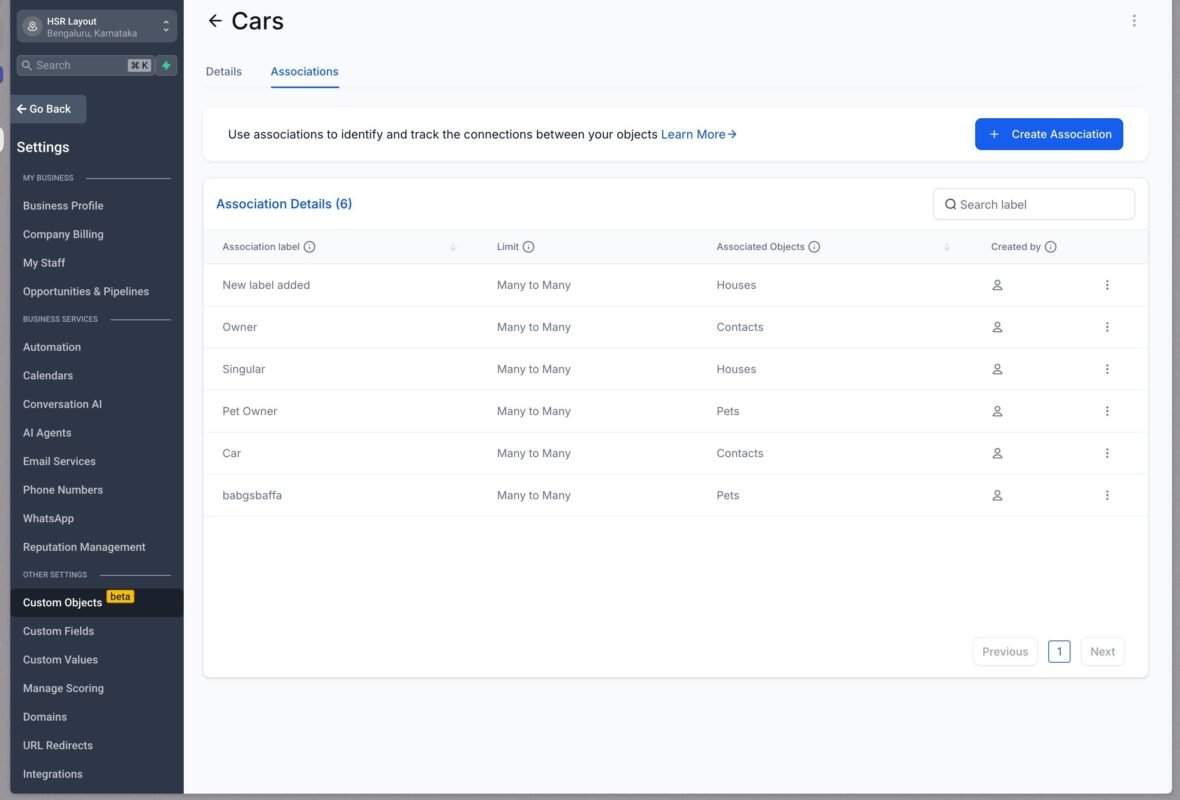
Custom objects in GoHighLevel are user-defined data structures that allow you to store and manage information beyond the default fields and templates provided by the platform. They act as containers for custom data, enabling you to create unique records, relationships, and workflows tailored to your business.
For example, if you run a real estate business, you might create a custom object for “Properties” to store details like address, price, and listing status. Or, if you’re a service-based business, you could create a custom object for “Projects” to track tasks, deadlines, and client feedback.
Custom objects are essential for businesses that need to:
By leveraging custom objects, you can transform GoHig
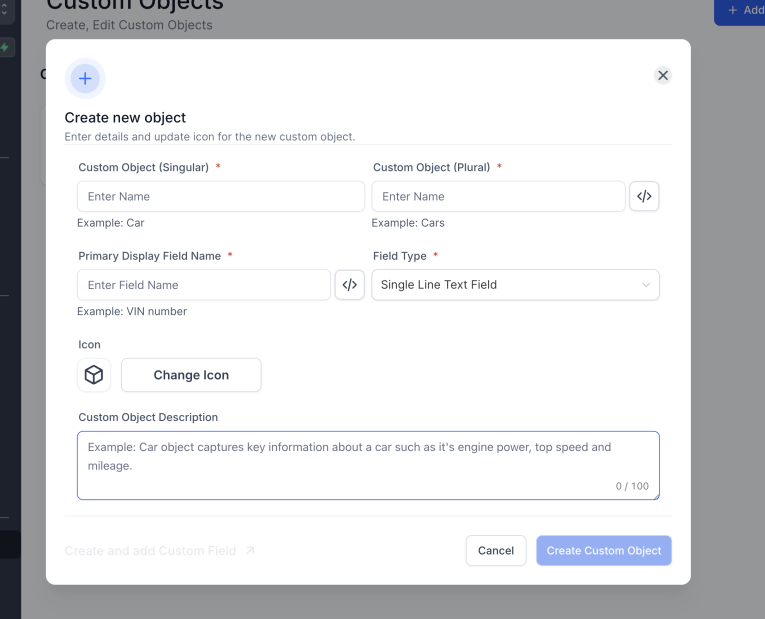
2 .Click on “Add Custom Object.”
After making edits, click Save to apply the updates.
Editing custom objects allows you to refine and adapt them as your business needs evolve. Here’s how to make changes:
If your custom object is used in automations or workflows, ensure that any changes you make are reflected in those processes. For example, if you add a new field, update your automation triggers or actions to include it.
After making edits, save your changes to ensure they are applied across the platform.
When you send an email from a dedicated domain:
Yes, custom objects can be integrated into pipelines. For example, you can create a pipeline stage that tracks progress for records in a custom object like “Projects” or “Properties.
While not mandatory, a dedicated IP is ideal for high-volume senders to avoid sharing a reputation with others.
With accurate DNS configuration, setup and verification typically take 24–48 hours.
Yes! Subdomains allow you to organize different email categories, such as marketing or support.
Custom objects in GoHighLevel are a game-changer for businesses looking to customize their workflows, store unique data, and optimize their operations. By following the steps outlined in this guide, you can create and edit custom objects that align with your specific needs and take full advantage of GoHighLevel’s capabilities.
Whether you’re managing client relationships, tracking projects, or organizing inventory, custom objects empower you to build a system that works for you. Start exploring this powerful feature today and unlock the full potential of GoHighLevel!

If you’ve ever struggled with A2P 10DLC registration, you know how confusing and rejection-prone the process can be. One small

Build Powerful Workflows Just by Speaking Imagine building a complete automation without typing a single word. No clicking through triggers.

Design smarter. Move faster. Stop switching tabs. If you’ve ever designed something in Canva, downloaded it, uploaded it into your

The Smart Way to Re-Engage Leads Without Manual Work Leads don’t always ghost you on purpose. Sometimes they get busy.

AI automation is evolving fast. If you’ve ever wished you could fully control AI tasks inside your CRM without relying

Build Powerful Workflows Just by Speaking Imagine creating an entire workflow without touching your keyboard. No typing. No complicated setup.

Pick a design that fits your brand.

Integrate it seamlessly.

Tailor it to your business needs.

Start generating leads and sales.
No account yet?
Create an AccountWe use cookies to improve your experience on our site. By using our site, you consent to cookies.
Websites store cookies to enhance functionality and personalise your experience. You can manage your preferences, but blocking some cookies may impact site performance and services.
Essential cookies enable basic functions and are necessary for the proper function of the website.
These cookies are needed for adding comments on this website.
Google reCAPTCHA helps protect websites from spam and abuse by verifying user interactions through challenges.
These cookies are used for managing login functionality on this website.
Stripe is a payment processing platform that enables businesses to accept online payments securely and efficiently.
Service URL: stripe.com (opens in a new window)
Statistics cookies collect information anonymously. This information helps us understand how visitors use our website.
Google Analytics is a powerful tool that tracks and analyzes website traffic for informed marketing decisions.
Service URL: policies.google.com (opens in a new window)
Clarity is a web analytics service that tracks and reports website traffic.
Service URL: clarity.microsoft.com (opens in a new window)
SourceBuster is used by WooCommerce for order attribution based on user source.
You can find more information in our Privacy Policy and .



