🎈Winter Savings Special Sale 🎁
00
DAYS
00
HRS
00
MINS
00
SECS


The GoHighLevel LeadConnector Phone System is a powerful all-in-one solution for managing customer communication through calls and text. However, like any complex tool, it can present challenges when misconfigured or misunderstood.
In this guide, we’ll explore common LeadConnector phone issues, why they occur, and, most importantly, how to solve them efficiently. Whether you’re a digital agency, SaaS reseller, or a growing business, this guide is your go-to resource for optimizing call flow and maintaining customer trust.
✅ GoHighLevel LeadConnector Phone System is a powerful built-in communication tool for handling calls, SMS, and automation.
✅ Call routing issues often arise due to misconfigured IVR, forwarding settings, or ring groups.
✅ SMS sending failures are usually caused by A2P 10DLC compliance issues or incorrect phone number formatting.
✅ Voicemail and call recording must be properly configured in User Settings to work effectively.
✅ LeadConnector mobile app troubleshooting includes enabling push notifications and background app activity.
✅ Using IVR and ring groups effectively improves call handling and response times.
✅ Workflow automation can enhance call management, missed call follow-ups, and lead tracking.
✅ The best approach? Optimize settings, follow best practices, and leverage automation for seamless communication! 🚀
The LeadConnector Phone System replaces third-party telephony platforms (like Twilio), offering native call, SMS, voicemail, and workflow automation directly within the HighLevel CRM. It’s designed for:
🔧 Pro Tip: Always assign a default phone number and enable workflow triggers to ensure seamless handling of leads.
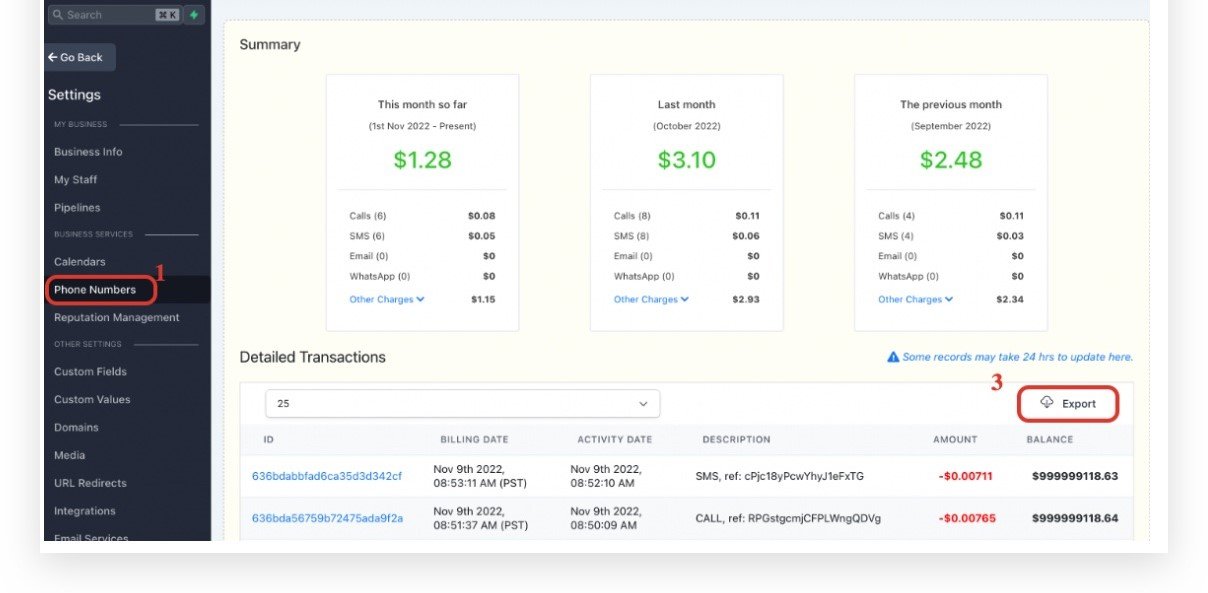
Unlike traditional Voice over IP (VoIP) systems, the LeadConnector Phone System (LC Phone) operates differently:
Despite its capabilities, users often experience:
Dropped calls
Missed notifications
Voicemails not recording
Texts not delivering
These issues typically arise from:
Incorrect number routing or forwarding
Incomplete user assignments
A2P 10DLC compliance failure
Misconfigured workflow logic
The GoHighLevel LeadConnector Phone System (LC Phone) is a powerful tool for handling calls and SMS within the CRM. However, users may face issues due to configuration errors, call routing complexities, and integration limitations. Below are the main reasons for common problems and how to fix them.
🔍 Causes:
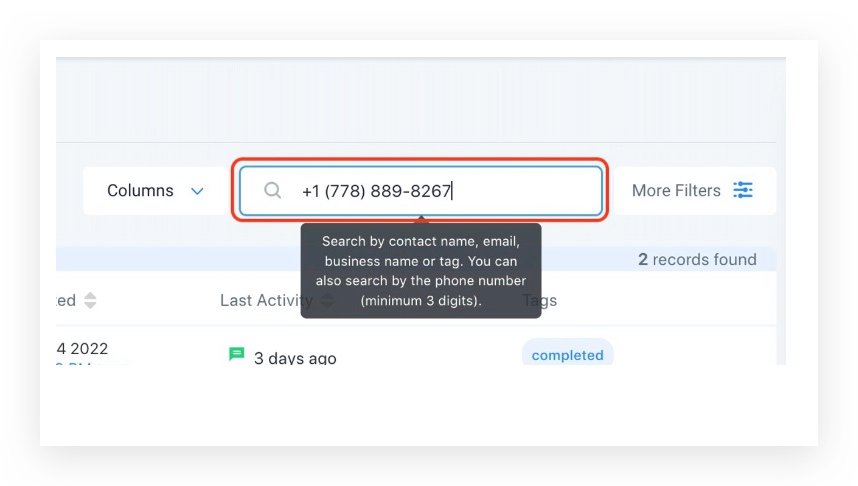
✔️ Go to Settings > Phone Numbers > Call Routing and verify the correct forwarding number.
✔️ If using Ring Groups, remove the Business Phone Number from settings to allow group calls to function.
✔️ Double-check IVR settings under Automations > Workflows to ensure calls are being routed correctly.
🔍 Causes:
✔️ Ensure the number is assigned to a user in Settings > Team > User Profile.
✔️ Enable notifications in your phone settings (Android/iPhone).
✔️ Allow the LeadConnector app to run in the background.
✔️ Restart the app and log back in.
🔍 Causes:
✔️ Go to Settings > Phone Numbers > Forwarding and verify the forwarding number.
✔️ Remove unnecessary Call Routing Rules under Phone Settings.
✔️ Test with a different forwarding number to ensure it’s not being blocked.
🔍 Causes:
✔️ Increase the call timeout duration in Settings > Phone Numbers > Call Settings.
✔️ Check voicemail settings under Team > User Settings > Voicemail Configuration.
✔️ If using Ring Groups, remove the Business Phone Number from settings.
🔍 Causes:
✔️ Go to Settings > Business Profile and check the default phone number.
✔️ Assign the correct number to each user in Settings > Team > User Profile.
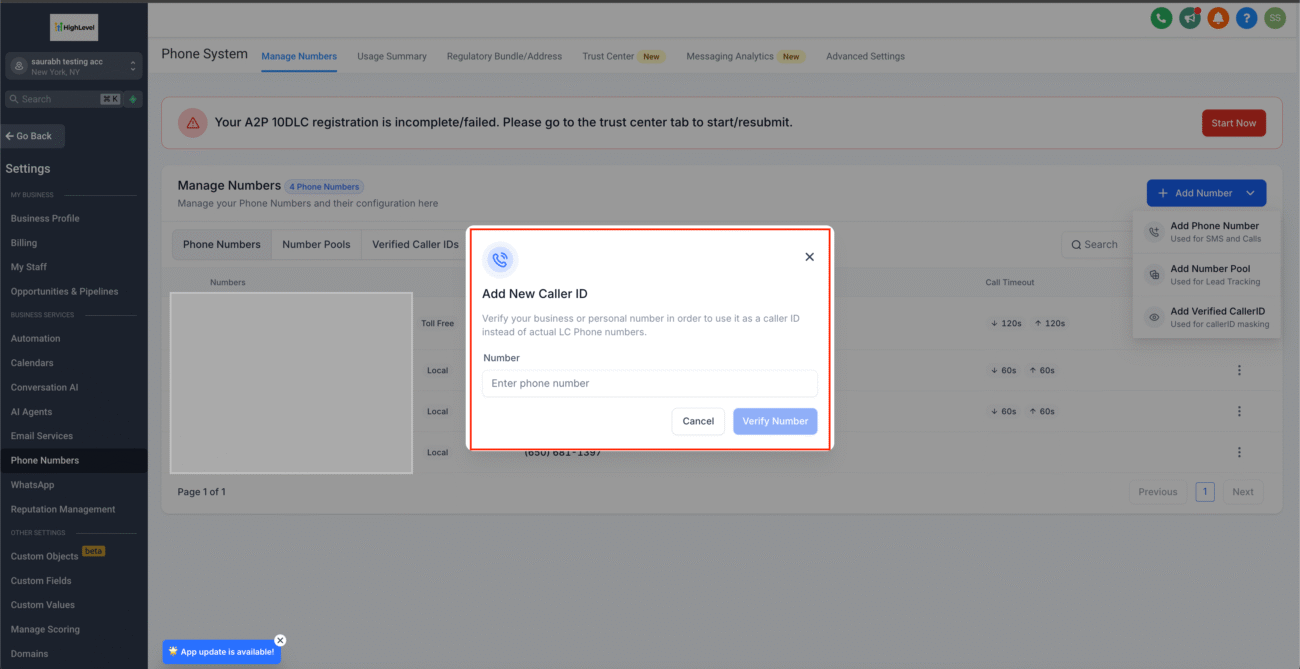
🔍 Causes:
✔️ Check A2P 10DLC registration at Settings > Compliance > A2P Registration.
✔️ Ensure messages are not being flagged as spam by avoiding excessive links or promotional content.
✔️ Use the correct E.164 format (e.g., +1XXXXXXXXXX for U.S. numbers).
🔍 Causes:
✔️ Remove call forwarding if you want voicemail to stay in GoHighLevel.
✔️ Check Settings > Team > User Profile > Voicemail Settings to confirm voicemail is enabled.
🔍 Causes:
✔️ Log out and log back in to the LeadConnector app.
✔️ Clear cache and storage in the app settings on your phone.
✔️ If the issue persists, reinstall the LeadConnector app.
GoHighLevel allows deep workflow customization using its Workflow Builder. Here’s how to make the most of it:
Missed Call Text-Backs: Automatically follow up via SMS.
IVR Menus: Route callers based on keypad input.
Time-Based Rules: Forward calls during off-hours.
🔄 Example: A law firm sets up an after-hours workflow that texts “We received your call and will reach out first thing tomorrow,” improving trust and engagement.
The LeadConnector Phone System replaces third-party telephony platforms (like Twilio), offering native call, SMS, voicemail, and workflow automation directly within the HighLevel CRM.
✅ Verify that the forwarding number is active and correct under Settings > Phone Numbers.
✅ Remove any conflicting call routing settings.
✅ Check if the business phone number is set, as this might override forwarding rules.
✅ Go to Settings > Team > User Profile > Voicemail Settings to record a voicemail message.
✅ Make sure call forwarding is disabled if you want voicemail to be handled within GoHighLevel.
Use Automations > Workflows to create missed call text-backs, follow-ups, and call routing.
The GoHighLevel LeadConnector Phone System is an advanced tool, but it requires proper configuration for seamless call handling. By following the troubleshooting steps in this guide, you can resolve most issues related to call routing, forwarding, voicemail, and mobile app notifications.

If you’ve ever struggled with A2P 10DLC registration, you know how confusing and rejection-prone the process can be. One small

Build Powerful Workflows Just by Speaking Imagine building a complete automation without typing a single word. No clicking through triggers.

Design smarter. Move faster. Stop switching tabs. If you’ve ever designed something in Canva, downloaded it, uploaded it into your

The Smart Way to Re-Engage Leads Without Manual Work Leads don’t always ghost you on purpose. Sometimes they get busy.

AI automation is evolving fast. If you’ve ever wished you could fully control AI tasks inside your CRM without relying

Build Powerful Workflows Just by Speaking Imagine creating an entire workflow without touching your keyboard. No typing. No complicated setup.

Pick a design that fits your brand.

Integrate it seamlessly.

Tailor it to your business needs.

Start generating leads and sales.
No account yet?
Create an AccountWe use cookies to improve your experience on our site. By using our site, you consent to cookies.
Websites store cookies to enhance functionality and personalise your experience. You can manage your preferences, but blocking some cookies may impact site performance and services.
Essential cookies enable basic functions and are necessary for the proper function of the website.
These cookies are needed for adding comments on this website.
Google reCAPTCHA helps protect websites from spam and abuse by verifying user interactions through challenges.
These cookies are used for managing login functionality on this website.
Stripe is a payment processing platform that enables businesses to accept online payments securely and efficiently.
Service URL: stripe.com (opens in a new window)
Statistics cookies collect information anonymously. This information helps us understand how visitors use our website.
Google Analytics is a powerful tool that tracks and analyzes website traffic for informed marketing decisions.
Service URL: policies.google.com (opens in a new window)
Clarity is a web analytics service that tracks and reports website traffic.
Service URL: clarity.microsoft.com (opens in a new window)
SourceBuster is used by WooCommerce for order attribution based on user source.
You can find more information in our Privacy Policy and .



