🎈Winter Savings Special Sale 🎁
00
DAYS
00
HRS
00
MINS
00
SECS


A Fresh Look at Easier Payments in GoHighLevel
Payments are one of those parts of your business that should work. You want a setup that’s easy, secure, and flexible—and that’s exactly what the PayPal Keyless OAuth Integration delivers inside GoHighLevel. Instead of dealing with API keys, credentials, or confusing connection screens, you can now connect PayPal in just a few clicks, accept payments faster, and offer buyers more ways to pay.
This integration isn’t just a small upgrade — it’s a thoughtful reimagining of the PayPal experience that puts ease, future‑proofing, and conversion power at the forefront.
Let’s dive in.
At its core, PayPal Keyless OAuth Integration replaces the old way of connecting PayPal, which required API keys and manual configuration, with a modern, secure OAuth‑based flow. OAuth is the industry standard for secure authorization that lets users grant limited access without sharing credentials.
In practical terms, that means:
Just a smooth, secure connection where your users authorize PayPal access in a few intuitive steps.
You might already be familiar with OAuth if you’ve ever “Logged in with Google” or “Connected With Facebook.” The PayPal Keyless integration uses a similar concept — but tailored to payment connections instead of user accounts.
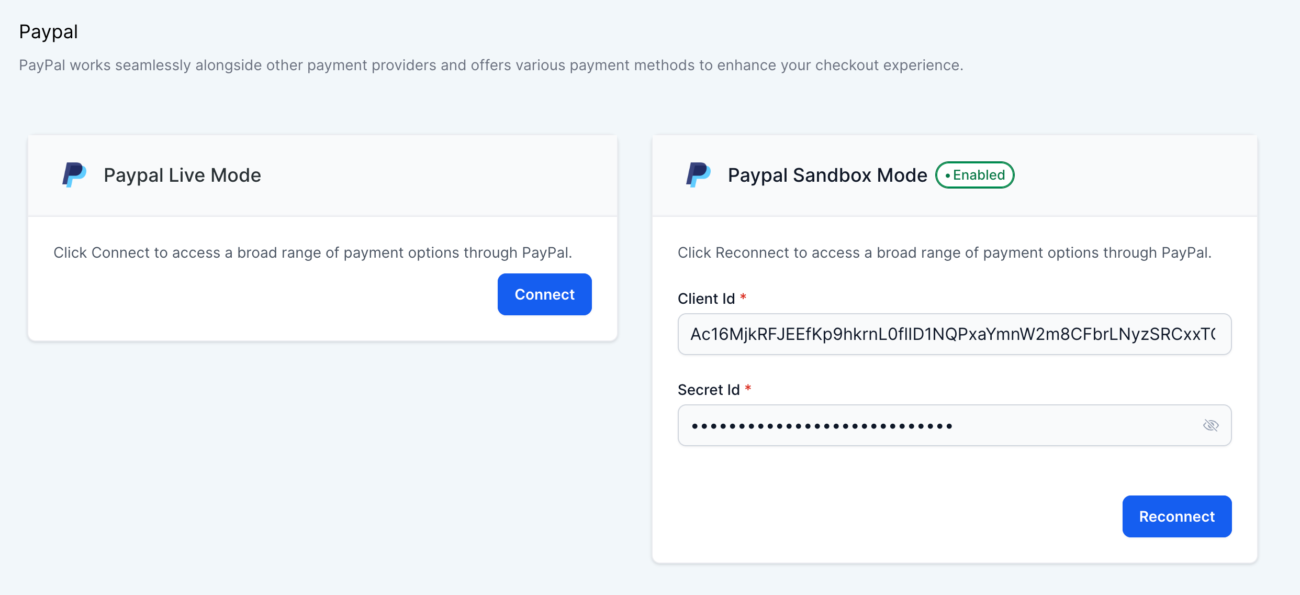
To understand what makes this integration powerful, it helps to compare it to the old connection method.
Even for experienced users, that’s a lot of steps and room for mistakes.
No keys. No searching. Just authorization in a couple of clicks.
Here’s what makes the PayPal Keyless OAuth Integration especially powerful and relevant in 2025:
Instead of having subaccounts track down API credentials, users can connect to PayPal in minutes through a simple, intuitive interface. This matters because:
No more lost credentials or confusing steps, just a seamless experience that works.
When available for the buyer, Venmo can now show alongside:
This means more payment flexibility at checkout, which often leads to better conversion rates. Venmo is especially popular among younger audiences and mobile shoppers — so having that option can directly impact sales.
Imagine a customer checking out and seeing PayPal, Pay Later, and Venmo all without any extra setup on your end.
Because the integration is built on PayPal’s latest SDK, GoHighLevel can enable new payment methods and features faster than before. Some planned capabilities include:
This future-proofs your system so you’re ready for payment innovations as they roll out.
You might be wondering why this matters after all; payments already work, right? Here’s why this new approach makes a real difference:
Clients, especially those without technical skills, can start accepting PayPal without a developer’s help. That means:
Whether you run an agency or build funnels for clients, that’s a big win.
Today’s buyers expect choice. The more payment options you offer, the fewer barriers there are to purchase. Adding methods like Venmo without extra setup means:
That’s not just convenience; it’s revenue impact.
One of the most common payment support questions is, “Why isn’t my API key working?” With Keyless OAuth, that problem simply goes away, dramatically reducing support tickets and confusion.
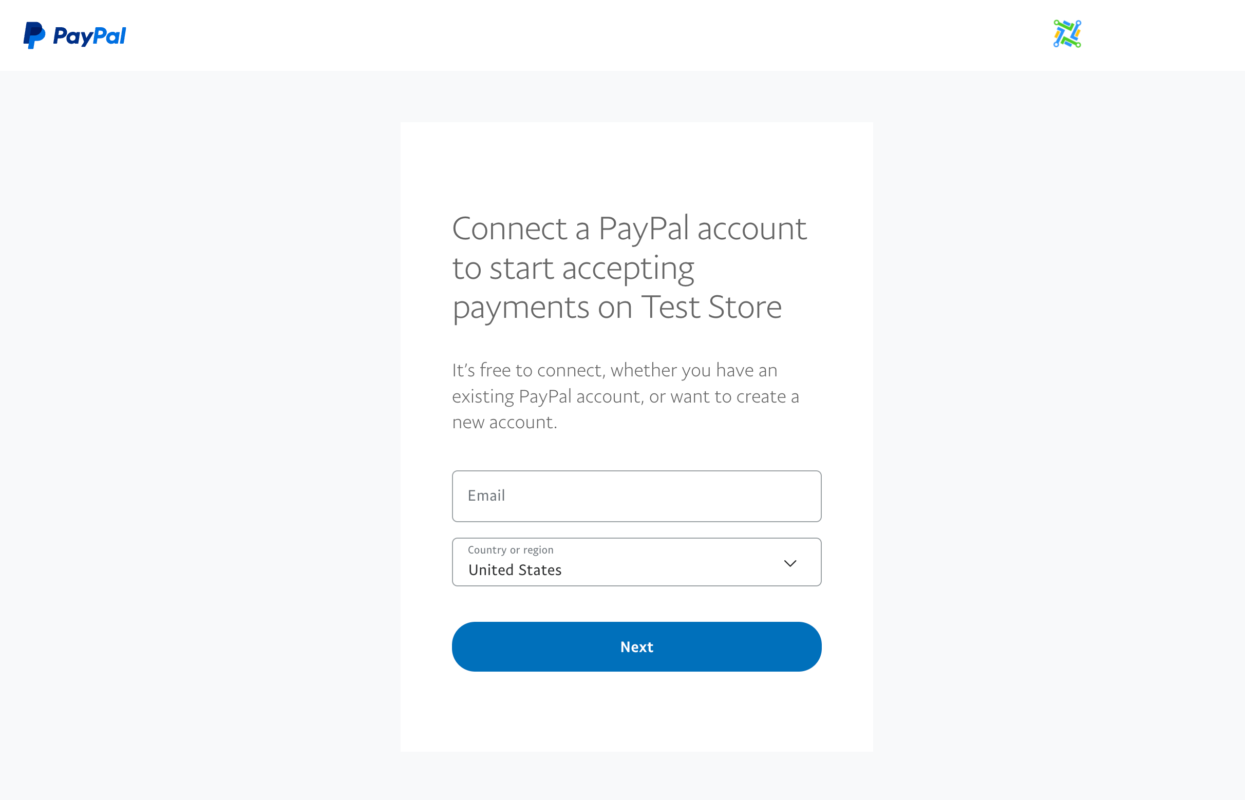
Whether you’re new or existing, here’s exactly how to connect PayPal using the keyless OAuth method.
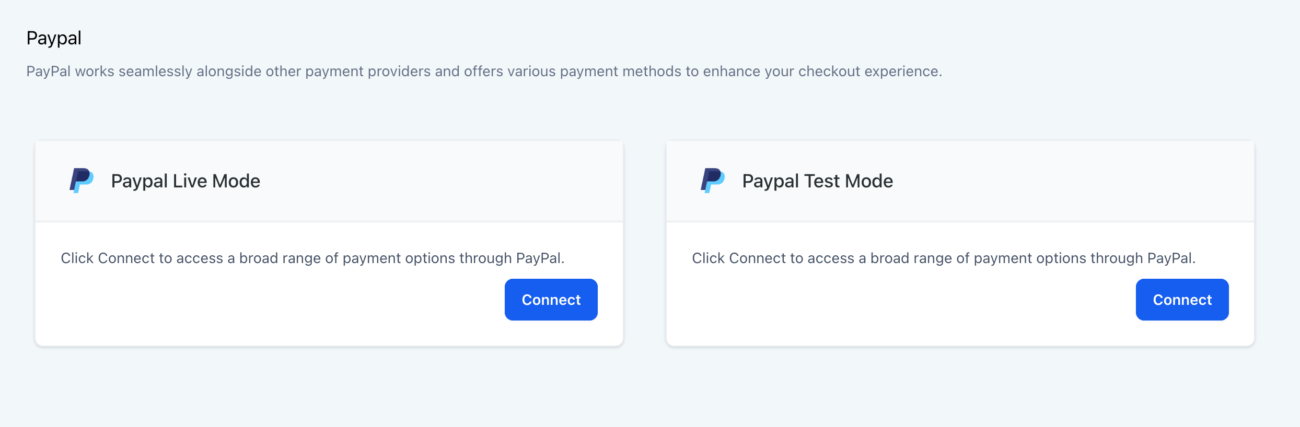
New accounts will automatically see the PayPal Keyless option when they enter the payment settings. No special action needed.
If you’re already using the old PayPal setup and want to switch:
That’s it — just a few clicks and you’re using the keyless method instead of API keys.
This feature is currently available in Labs and will be generally available on January 14, 2026.
Once enabled, subaccounts can use the new setup immediately.
Here’s a closer look at exciting upgrades planned for the future:
Soon, you won’t need PayPal redirection for card payments. Buyers will be able to enter card info directly on your checkout for a smoother, faster experience that improves conversion.
This capability allows billing customers even when they’re not actively making a purchase, closing payments on subscriptions or automated charges behind the scenes.
Need to create a subscription without a checkout? You’ll be able to do that manually through the platform.
Following successful testing, planned additions include:
This means even more ways for customers to pay without you lifting a finger.
You’ll be able to choose which payment methods are enabled or disabled, giving you flexibility and control over what buyers see at checkout.
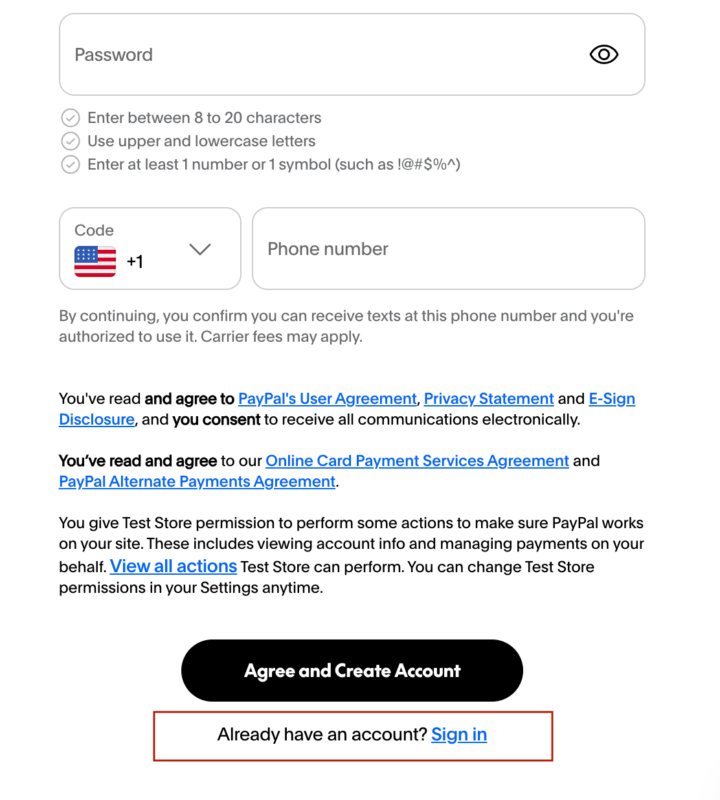
Keyless OAuth removes the need to manually copy API credentials — it authorizes your account securely through PayPal’s modern OAuth flow.
There is no additional fee from GoHighLevel. Standard PayPal processing fees still apply based on your PayPal agreement.
Yes — by disconnecting and reconnecting using the older method (if still supported during the transition period).
January 14, 2026
Payments matter not just for revenue but also for the overall experience. With the new PayPal Keyless OAuth Integration in GoHighLevel, payments become:
Whether you’re onboarding new clients, optimizing checkout flow, or preparing for what’s next in payments, this integration simplifies the path forward.
If you haven’t already, go ahead and enable the PayPal Keyless OAuth Integration in Labs today and get ready for a smoother, smarter payment experience tomorrow.

If you’ve ever struggled with A2P 10DLC registration, you know how confusing and rejection-prone the process can be. One small

Build Powerful Workflows Just by Speaking Imagine building a complete automation without typing a single word. No clicking through triggers.

Design smarter. Move faster. Stop switching tabs. If you’ve ever designed something in Canva, downloaded it, uploaded it into your

The Smart Way to Re-Engage Leads Without Manual Work Leads don’t always ghost you on purpose. Sometimes they get busy.

AI automation is evolving fast. If you’ve ever wished you could fully control AI tasks inside your CRM without relying

Build Powerful Workflows Just by Speaking Imagine creating an entire workflow without touching your keyboard. No typing. No complicated setup.

Pick a design that fits your brand.

Integrate it seamlessly.

Tailor it to your business needs.

Start generating leads and sales.
No account yet?
Create an AccountWe use cookies to improve your experience on our site. By using our site, you consent to cookies.
Websites store cookies to enhance functionality and personalise your experience. You can manage your preferences, but blocking some cookies may impact site performance and services.
Essential cookies enable basic functions and are necessary for the proper function of the website.
These cookies are needed for adding comments on this website.
Google reCAPTCHA helps protect websites from spam and abuse by verifying user interactions through challenges.
These cookies are used for managing login functionality on this website.
Stripe is a payment processing platform that enables businesses to accept online payments securely and efficiently.
Service URL: stripe.com (opens in a new window)
Statistics cookies collect information anonymously. This information helps us understand how visitors use our website.
Google Analytics is a powerful tool that tracks and analyzes website traffic for informed marketing decisions.
Service URL: policies.google.com (opens in a new window)
Clarity is a web analytics service that tracks and reports website traffic.
Service URL: clarity.microsoft.com (opens in a new window)
SourceBuster is used by WooCommerce for order attribution based on user source.
You can find more information in our Privacy Policy and .



