🎈Winter Savings Special Sale 🎁
00
DAYS
00
HRS
00
MINS
00
SECS


Bringing on a new client should be exciting—not exhausting. However, the onboarding process is often marred by back-and-forth emails, missed tasks, and manual data entry.
Good news?
GoHighLevel (GHL) makes it possible to turn your onboarding chaos into a smooth, scalable experience—thanks to AI workflows and built-in automation.
In this in-depth article, you’ll learn how to automate your client onboarding using Workflow AI, Conversation AI, Custom Objects, and more—all inside GHL.
✅ Automate emails, document delivery, and onboarding checklists using workflows.
🤖 Use Conversation AI for 24/7 chat support and scheduling during onboarding.
🧠 Customize onboarding flows with Workflow AI powered by ChatGPT-style logic.
🗃 Leverage Custom Objects to collect and track onboarding-specific data fields.
💸 Rebill AI usage to clients on higher-tier plans to create new revenue streams.
Here’s why agencies and SaaS providers turn to automation:
| Manual Onboarding | Automated Onboarding in GHL |
|---|---|
| Repetitive emails & calendar invites | Auto-send emails and scheduling links |
| Forgotten steps or missed follow-ups | Task creation and reminders built-in |
| Slow intake process | Real-time AI support and form parsing |
| Inconsistent experience | Fully mapped workflows and AI logic |
| Staff overhead | AI bots handle Q&A, appointment booking, etc. |
Result? You save time, avoid errors, and give every client a “wow” experience right from the start.
Before jumping into workflows, let’s break down the core GHL tools you’ll be using:
Let’s walk through a full onboarding flow using GoHighLevel automation.
🚀 Triggers are the “kickoff” of your workflow.
Common triggers:
How to Set:
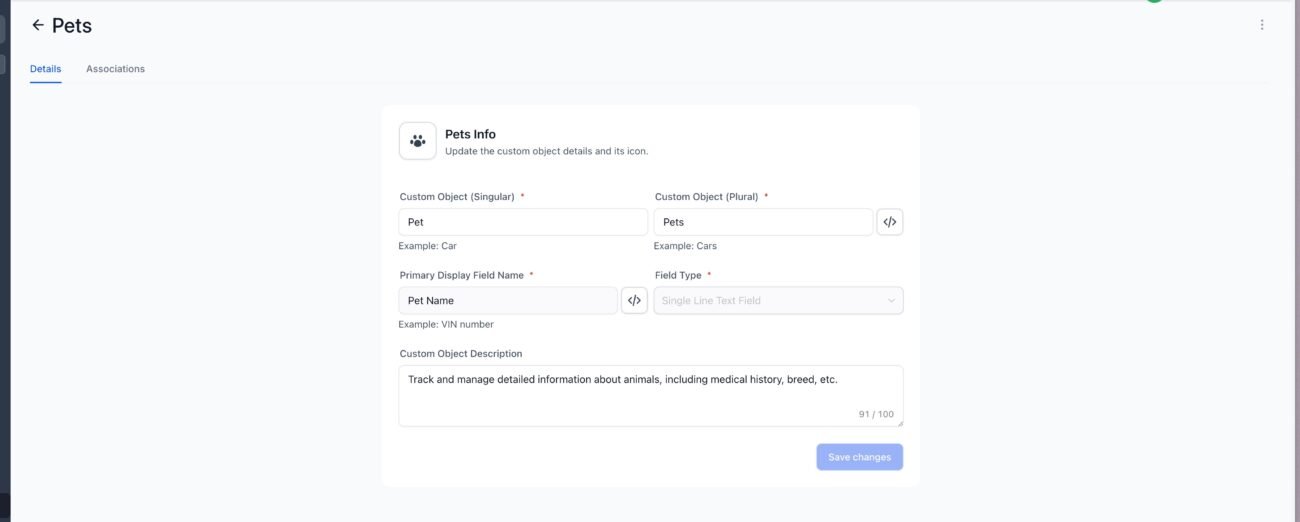
If you need to track detailed onboarding items (e.g. client preferences, website URLs, or goals), use Custom Objects.
Example Setup:
Website URL
Package Chosen
Onboarding Call Completed (Yes/No)
Assigned Rep
Action:
Add Create Associated Record → Map values from intake form
🎉 First impressions matter! This is your client’s first official message.
Action:
Include:
You can also send a SMS follow-up using a similar message for high engagement.
Use a GHL calendar to let clients book at their convenience.
Action:
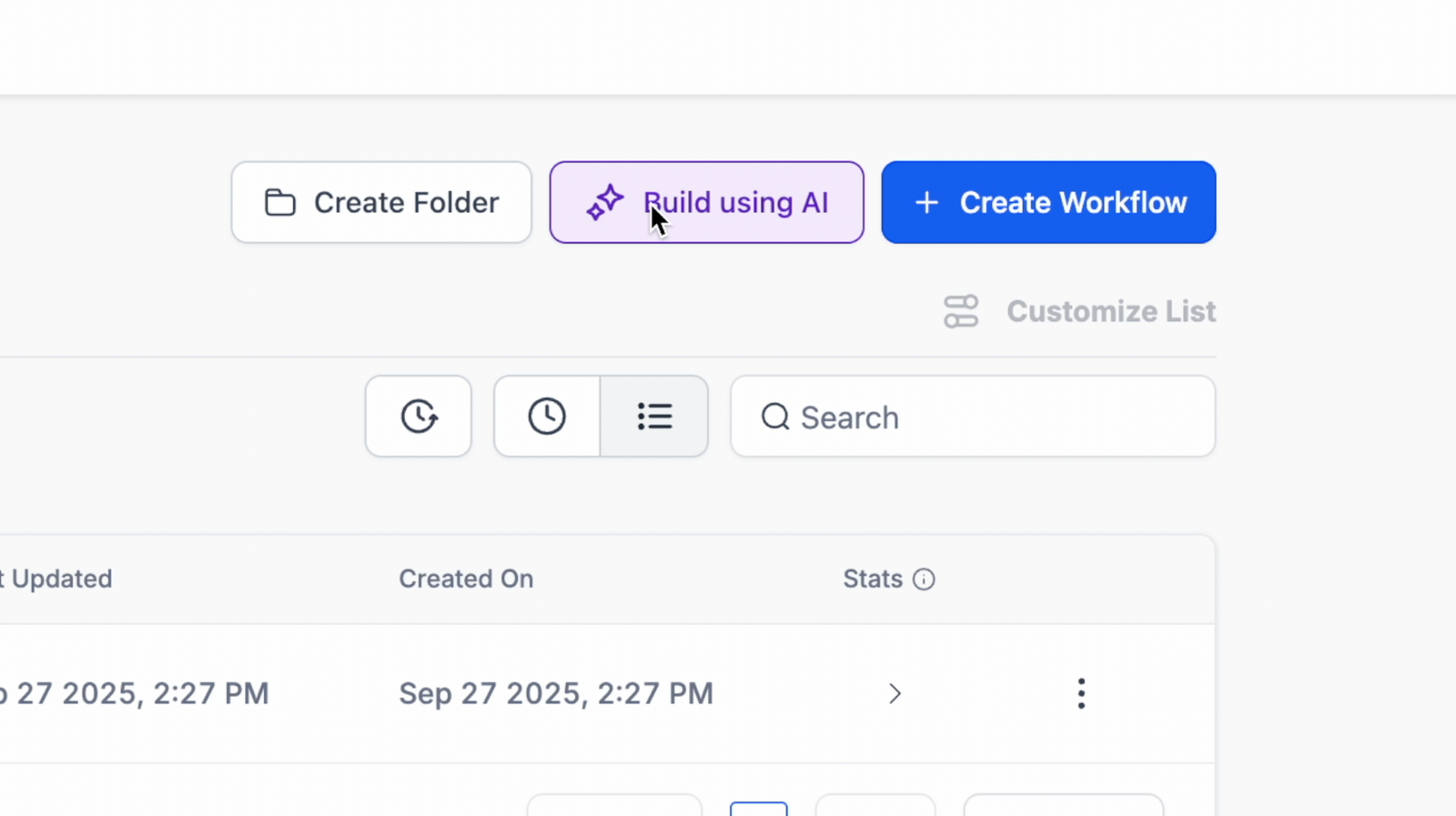
Let’s get creative! Use Workflow AI to analyze intake data and write a custom plan.
Example Action:
“Based on the form answers, summarize the client’s goals and write a 3-step onboarding plan in a friendly tone.”
Use the Workflow AI action, then send that result in an email or SMS.
Make sure your team doesn’t miss anything.
Action:
📱 Support your client with 24/7 responses using the chatbot.
Set up Conversation AI to:
Modes:
Suggestive: Agent gets suggested replies
You can embed this bot on:
After signing a document in GHL, automatically redirect to:
You can send documents with built-in payment plans and auto-payment toggles.
You can even create onboarding workflows using WhatsApp automation:
| Tool | Pay-As-You-Go | Unlimited Plan |
|---|---|---|
| Workflow AI | Usage-based | Included in $97/mo AI Plan |
| Conversation AI | $0.02/message | Included in $97/mo AI Plan |
| Content AI | $0.09 per 100 words | Included in $97/mo AI Plan |
| Reviews AI | $0.08/review | Unlimited Usage |
| Voice AI | $0.13/minute | Unlimited Usage |
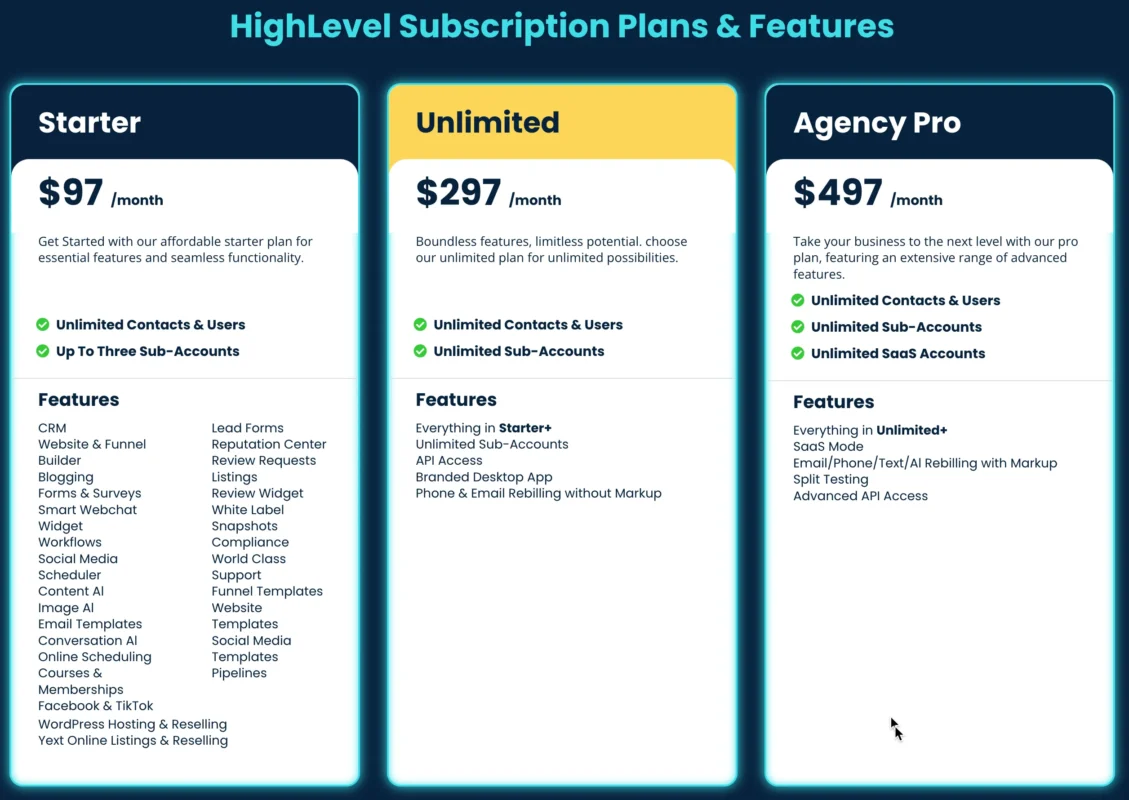
You can rebill clients for AI usage on the $497 SaaS plan. Add your markup and generate profit automatically.
Nope! All tools are drag-and-drop; no code is needed.
Yes, use if/else conditions or dynamic tags to segment different paths.
Yes, but rebilling and some features like Custom Objects require the $497 plan.
Most CRMs don’t offer native ChatGPT-style automation. GHL bundles AI, automation, SMS, chat, email, and CRM all in one.
Yes! Build onboarding workflows into snapshots and resell under your brand with SaaS Mode.
Automating your client onboarding with GoHighLevel and AI is a game-changer for growth-focused businesses.
With the right workflows, chatbots, and personalization, you can:
Start small. Build one workflow. Then grow from there.
👉 Need help setting up your onboarding workflows? Use HighLevel’s templates, AI tools, and automation to get started fast.

If you’ve ever struggled with A2P 10DLC registration, you know how confusing and rejection-prone the process can be. One small

Build Powerful Workflows Just by Speaking Imagine building a complete automation without typing a single word. No clicking through triggers.

Design smarter. Move faster. Stop switching tabs. If you’ve ever designed something in Canva, downloaded it, uploaded it into your

The Smart Way to Re-Engage Leads Without Manual Work Leads don’t always ghost you on purpose. Sometimes they get busy.

AI automation is evolving fast. If you’ve ever wished you could fully control AI tasks inside your CRM without relying

Build Powerful Workflows Just by Speaking Imagine creating an entire workflow without touching your keyboard. No typing. No complicated setup.

Pick a design that fits your brand.

Integrate it seamlessly.

Tailor it to your business needs.

Start generating leads and sales.
No account yet?
Create an AccountWe use cookies to improve your experience on our site. By using our site, you consent to cookies.
Websites store cookies to enhance functionality and personalise your experience. You can manage your preferences, but blocking some cookies may impact site performance and services.
Essential cookies enable basic functions and are necessary for the proper function of the website.
These cookies are needed for adding comments on this website.
Google reCAPTCHA helps protect websites from spam and abuse by verifying user interactions through challenges.
These cookies are used for managing login functionality on this website.
Stripe is a payment processing platform that enables businesses to accept online payments securely and efficiently.
Service URL: stripe.com (opens in a new window)
Statistics cookies collect information anonymously. This information helps us understand how visitors use our website.
Google Analytics is a powerful tool that tracks and analyzes website traffic for informed marketing decisions.
Service URL: policies.google.com (opens in a new window)
Clarity is a web analytics service that tracks and reports website traffic.
Service URL: clarity.microsoft.com (opens in a new window)
SourceBuster is used by WooCommerce for order attribution based on user source.
You can find more information in our Privacy Policy and .



