



🚀 How to Automate Client Onboarding with AI Workflows in GoHighLevel
Bringing on a new client should be exciting—not exhausting. However, the onboarding process is often marred by back-and-forth emails, missed
Contents
Bringing on a new client should be exciting—not exhausting. However, the onboarding process is often marred by back-and-forth emails, missed tasks, and manual data entry.
Good news?
GoHighLevel (GHL) makes it possible to turn your onboarding chaos into a smooth, scalable experience—thanks to AI workflows and built-in automation.
In this in-depth article, you’ll learn how to automate your client onboarding using Workflow AI, Conversation AI, Custom Objects, and more—all inside GHL.
Key Takeaways
✅ Automate emails, document delivery, and onboarding checklists using workflows.
🤖 Use Conversation AI for 24/7 chat support and scheduling during onboarding.
🧠 Customize onboarding flows with Workflow AI powered by ChatGPT-style logic.
🗃 Leverage Custom Objects to collect and track onboarding-specific data fields.
💸 Rebill AI usage to clients on higher-tier plans to create new revenue streams.
Why Automate Client Onboarding in the First Place?
Here’s why agencies and SaaS providers turn to automation:
| Manual Onboarding | Automated Onboarding in GHL |
|---|---|
| Repetitive emails & calendar invites | Auto-send emails and scheduling links |
| Forgotten steps or missed follow-ups | Task creation and reminders built-in |
| Slow intake process | Real-time AI support and form parsing |
| Inconsistent experience | Fully mapped workflows and AI logic |
| Staff overhead | AI bots handle Q&A, appointment booking, etc. |
Result? You save time, avoid errors, and give every client a “wow” experience right from the start.
Core Tools for AI-Powered Onboarding in GoHighLevel
Before jumping into workflows, let’s break down the core GHL tools you’ll be using:
1. Workflow Builder
- Drag-and-drop automations
- Trigger-based logic (e.g., form submission, appointment booking, tag added)
- Includes Workflow AI actions
2. Conversation AI Bot
- AI chatbot trained to handle:
- General questions
- Appointment booking
- Operates on SMS, web chat, Facebook Messenger, Google Chat & more
3. Custom Objects
- Create custom data structures tied to Contacts
- Example: “Onboarding Status,” “Packages,” “Kickoff Tasks”
4. Workflow AI
- Add ChatGPT-style logic directly in workflows
- Generate dynamic messages, summaries, and personalized plans
5. Email, Calendar & Forms
- Built-in email tools with dynamic fields
- GHL Calendars for auto-scheduling
- Forms to collect onboarding info
Step-by-Step: Building an AI-Powered Client Onboarding Workflow
Let’s walk through a full onboarding flow using GoHighLevel automation.
Step 1: Set a Trigger
🚀 Triggers are the “kickoff” of your workflow.
Common triggers:
- Form submitted (e.g., “Client Intake Form”)
- Appointment booked
- Tag added (e.g., “New Client”)
- Payment received
How to Set:
- Go to Automation > Workflows
- Click Create Workflow > Start from Scratch
- Add a trigger → Choose “Form Submitted”
- Select the onboarding form
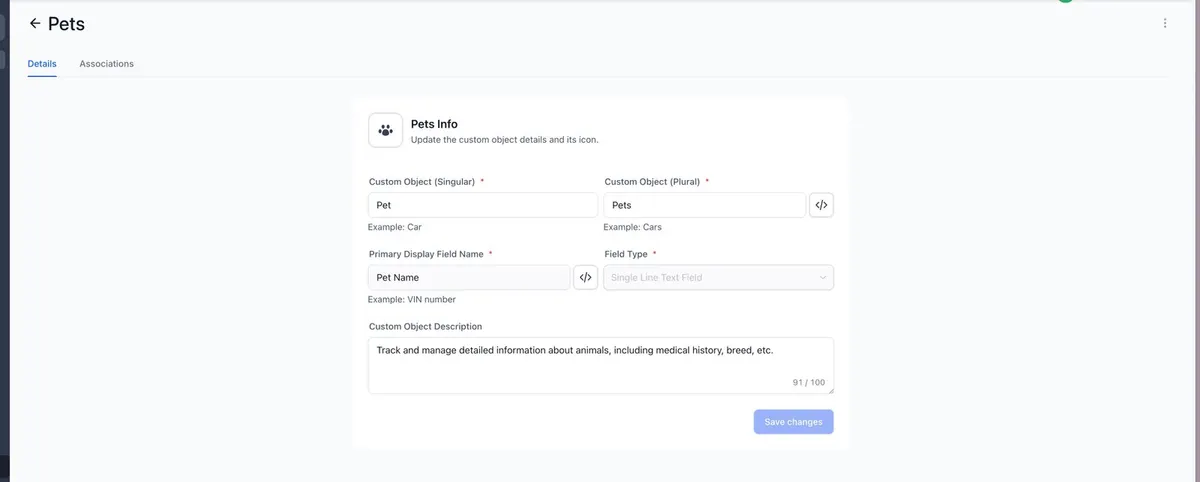
Step 2: Capture Data Using Custom Objects
If you need to track detailed onboarding items (e.g. client preferences, website URLs, or goals), use Custom Objects.
Example Setup:
- Custom Object: “Client Onboarding Tracker”
- Fields:
Website URL
Package Chosen
Onboarding Call Completed (Yes/No)
Assigned Rep
Action:
Add Create Associated Record → Map values from intake form
Step 3: Send a Welcome Email or SMS
🎉 First impressions matter! This is your client’s first official message.
Action:
- Add action → Send Email
- Use merge fields like {{contact.name}}
Include:
- Welcome message
- What to expect next
- Calendar booking link
- Contact info
You can also send a SMS follow-up using a similar message for high engagement.
Step 4: Auto-Schedule the Onboarding Call
Use a GHL calendar to let clients book at their convenience.
Action:
- Add action → “Send Email” with calendar link
- OR → Add “Appointment” action if collecting time in form
- Tag them once the appointment is scheduled
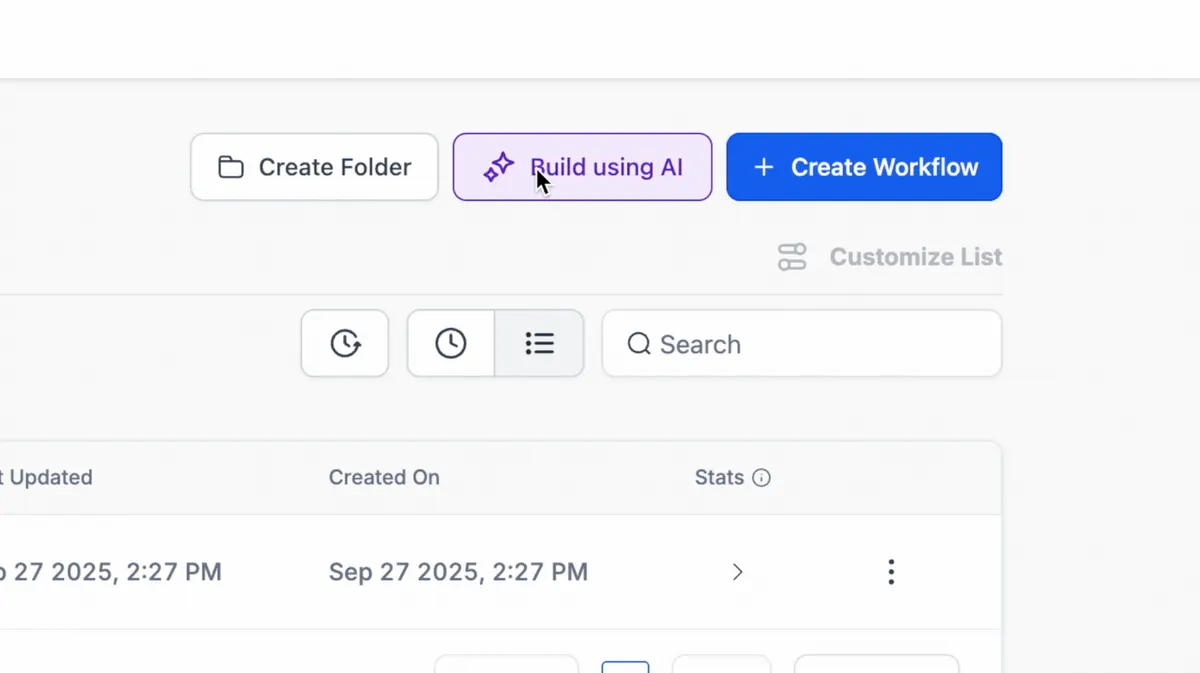
Step 5: Use Workflow AI for Personalized Steps
Let’s get creative! Use Workflow AI to analyze intake data and write a custom plan.
Example Action:
“Based on the form answers, summarize the client’s goals and write a 3-step onboarding plan in a friendly tone.”
Use the Workflow AI action, then send that result in an email or SMS.
Step 6: Assign Internal Tasks Automatically
Make sure your team doesn’t miss anything.
Action:
- Add action → Create Task
- Title: “Send Welcome Gift” or “Review Intake Form”
- Assign to a specific user or role
- Add due dates or reminders
Step 7: Start Conversation AI Chatbot
📱 Support your client with 24/7 responses using the chatbot.
Set up Conversation AI to:
- Answer FAQs like “Where do I upload files?”
- Book meetings
- Assist with tech setup
Modes:
Suggestive: Agent gets suggested replies
- Autopilot: AI responds directly to the client
You can embed this bot on:
- Web chat
- SMS
- Facebook Messenger
- Google Business Chat
Optional Bonus Steps
Redirect After Contract Signing
After signing a document in GHL, automatically redirect to:
- Thank-you page
- Scheduling link
- Onboarding video
Add a Payment Plan or Deposit
You can send documents with built-in payment plans and auto-payment toggles.
WhatsApp Onboarding Flows
You can even create onboarding workflows using WhatsApp automation:
- Trigger based on a reply
- Wait for reply logic
- DND settings if user replies “STOP”
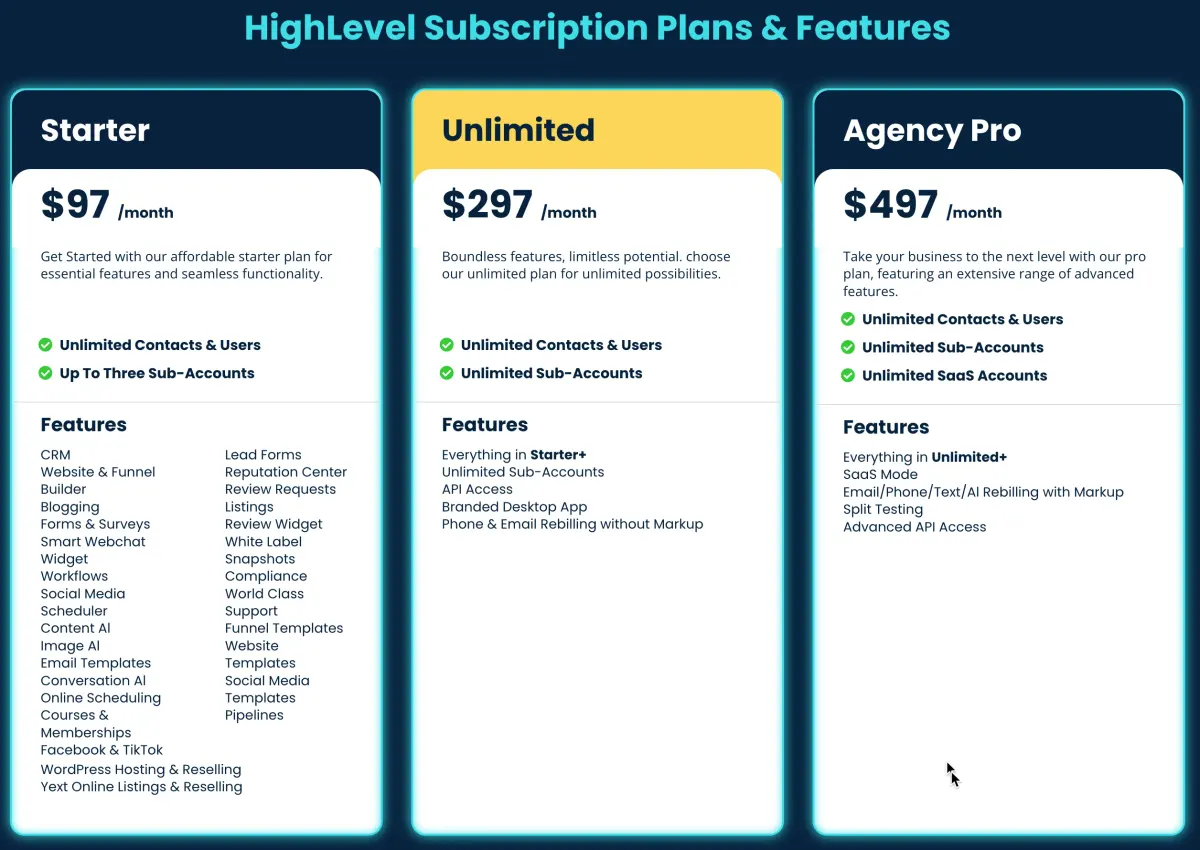
AI Pricing and Rebilling Breakdown
HighLevel AI Usage Pricing (as of 2025)
| Tool | Pay-As-You-Go | Unlimited Plan |
|---|---|---|
| Workflow AI | Usage-based | Included in $97/mo AI Plan |
| Conversation AI | $0.02/message | Included in $97/mo AI Plan |
| Content AI | $0.09 per 100 words | Included in $97/mo AI Plan |
| Reviews AI | $0.08/review | Unlimited Usage |
| Voice AI | $0.13/minute | Unlimited Usage |
You can rebill clients for AI usage on the $497 SaaS plan. Add your markup and generate profit automatically.
Conclusion
Automating your client onboarding with GoHighLevel and AI is a game-changer for growth-focused businesses.
With the right workflows, chatbots, and personalization, you can:
- Save hours per client
- Create a world-class onboarding experience
- Increase retention and satisfaction
- Scale your agency without burnout
Start small. Build one workflow. Then grow from there.
👉 Need help setting up your onboarding workflows? Use HighLevel’s templates, AI tools, and automation to get started fast.
Quick answers
Frequently asked questions
Do I need coding skills to set this up?
Nope! All tools are drag-and-drop; no code is needed.
Can I customize onboarding flows by service type?
Yes, use if/else conditions or dynamic tags to segment different paths.
Can I use AI on the $97 plan?
Yes, but rebilling and some features like Custom Objects require the $497 plan.
How does GHL’s AI compare to other CRMs?
Most CRMs don’t offer native ChatGPT-style automation. GHL bundles AI, automation, SMS, chat, email, and CRM all in one.
Can I use this in SaaS mode for reselling?
Yes! Build onboarding workflows into snapshots and resell under your brand with SaaS Mode.
Where this leaves you
Skip the build. Import a working GoHighLevel account instead.
Everything above is buildable by hand, and most people never finish. A snapshot is the same setup already made: funnels, pipelines, calendars, the prebuilt website and the automations, written for one industry and wired together before it reaches you.
- Delivered within 24 hours by email
- Install on unlimited sub-accounts you manage
- 20 hours of setup help across 15 days
Keep reading
All articles
How to Use Workflow AI for Pre-Call Lead Qualification in GoHighLevel
Time is your most valuable asset—especially when it comes to sales. Jumping on calls with leads who aren’t ready, aren’t
November 4, 20255 min read
GoHighLevel Workflows vs n8n: Which One for Which Job
GoHighLevel workflows own the customer lifecycle. n8n owns everything between systems. Where each one wins, and how to run both without duplicating logic.
June 12, 20256 min read
GoHighLevel Triggers: Every Type and When to Use Which
The trigger types that start a GoHighLevel workflow, how to choose between them, and the trigger mistakes that cause duplicate sends and silent failures.
November 28, 20235 min read