🎈Winter Savings Special Sale 🎁
00
DAYS
00
HRS
00
MINS
00
SECS


Send files and captions and manage media inside WhatsApp chats directly from your GoHighLevel CRM
GoHighLevel has launched a game-changing update in the New Conversations UI (Labs) Rich WhatsApp Media Messaging. If you’re using WhatsApp to communicate with leads or clients, this feature enhances the entire experience by allowing you to send media files with captions, manage attachments, and integrate directly with your CRM’s media storage.
Whether you’re sending proposals, PDFs, onboarding documents, or demo videos, this update turns WhatsApp into a fully functional client communication tool without needing to switch platforms.
Adding a caption to WhatsApp media messages helps you deliver files with context. Whether you’re sending an invoice, a proposal, or a short video, captions ensure your recipient understands what the file is and why it matters.
Use case example:
A digital agency sends a PDF proposal with the caption:
“Here’s your tailored marketing plan for Q2. Let us know if you’d like to schedule a strategy call.”
✅ How it works:
Keywords used: WhatsApp captions, send media in WhatsApp, GoHighLevel WhatsApp messaging
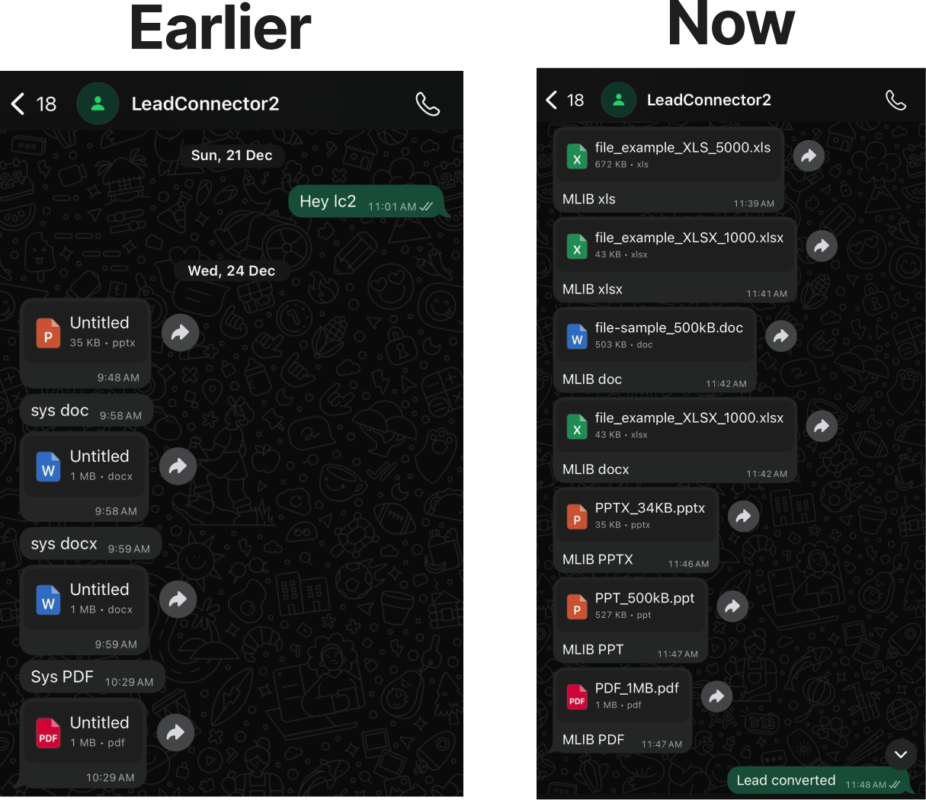
GoHighLevel now supports the full range of WhatsApp Business API media types, allowing businesses to send important documents and media files without limitations.
| Type | Formats | Max File Size |
|---|---|---|
| Images | JPG, JPEG, PNG | 5MB |
| Videos | MP4, 3GP | 16MB |
| Audio | MP3, AAC, M4A, AMR | 16MB |
| Documents | PDF, DOCX, XLSX, PPTX, TXT, etc. | 100MB |
This opens the door to:
📄 Sending contracts and proposals (PDF, DOCX)
📊 Sharing spreadsheets with client data (XLSX)
🎞️ Uploading video walkthroughs or demo reels (MP4)
🎧 Distributing audio training or support files (MP3)
Keywords used: WhatsApp file support, send documents via WhatsApp, share videos in WhatsApp
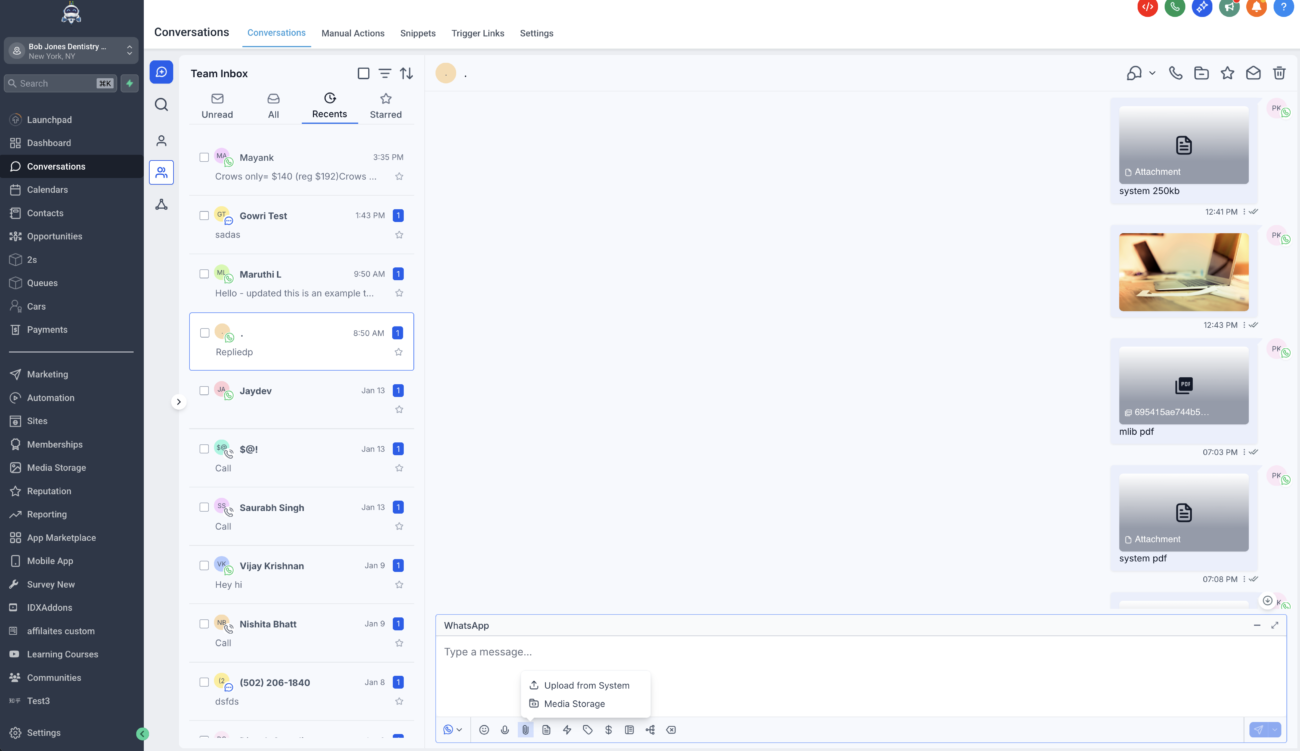
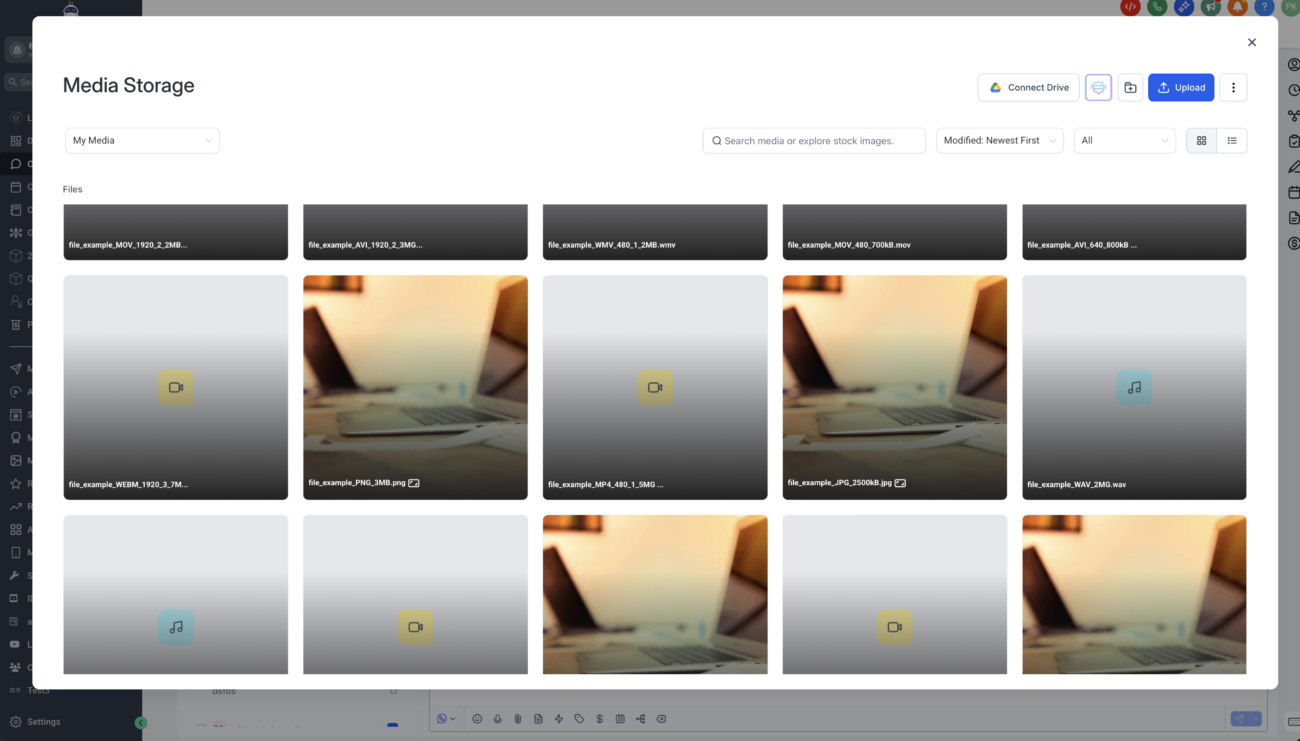
One of the most powerful additions is the integration of media storage inside WhatsApp conversations. You can now reuse files—without re-uploading them every time.
✅ Benefits:
How to do it:
Keywords used: Media Storage GoHighLevel, reusable media WhatsApp, WhatsApp CRM document sharing
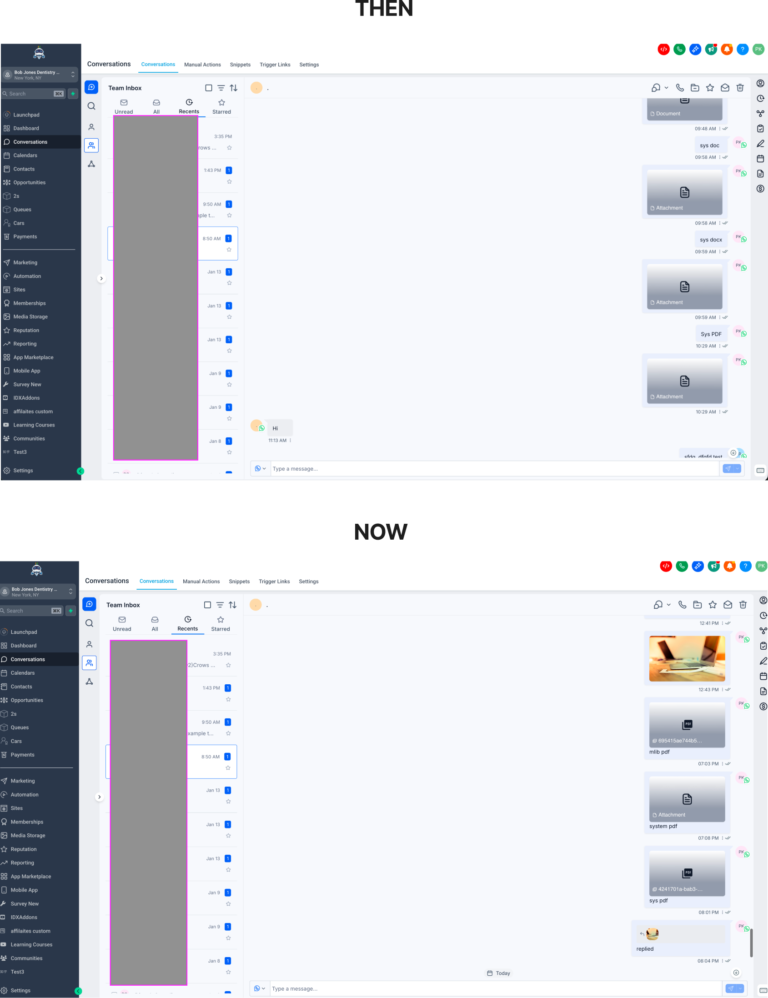
WhatsApp media can expire over time. To avoid this, GoHighLevel now allows you to store those files inside the CRM using Add to Documents.
This ensures:
For businesses that rely on client documentation, this adds a layer of security and professionalism to every interaction.
Keywords used: WhatsApp file expiration, store WhatsApp files, secure WhatsApp CRM messaging
GoHighLevel’s WhatsApp Conversations now run smoother than ever with several reliability improvements.
This update isn’t just functional; it’s polished.
Keywords used: GoHighLevel bug fixes, WhatsApp message formatting, WhatsApp file reliability
Send personalized decks, client reports, or case studies straight from WhatsApp. Add clear captions to give files context.
Easily share contracts, guides, and welcome materials stored in Media Storage, eliminating repeat uploads.
Support Teams
Respond with instructional videos, documentation, or screenshots, all while preserving customer communication history.
Automate sending onboarding documents, session materials, or deliverables without leaving GoHighLevel.
Keywords used: CRM file sharing, WhatsApp for agencies, send onboarding docs WhatsApp
To access the Rich WhatsApp Media Messaging features, you’ll need to enable the New Conversations UI inside GoHighLevel Labs.
No extra integrations or apps needed—this lives directly inside your CRM.
Keywords used: enable WhatsApp in GoHighLevel, GoHighLevel Labs, New Conversations UI
Combine this new messaging power with GoHighLevel Workflows for full automation.
You can use WhatsApp-specific filters like
📚 Learn how to automate WhatsApp messages with workflows
Keywords used: WhatsApp workflow automation, automate WhatsApp in GoHighLevel, WhatsApp CRM triggers
Yes, you can attach documents or use pre-approved templates in WhatsApp messages triggered by workflows.
No. This is exclusive to the New Conversations UI (Labs).
Media Storage can be accessed when attaching a file in a WhatsApp conversation.
GoHighLevel’s Rich WhatsApp Media Messaging update makes it easier than ever to share documents, explain files with captions, and store client communications—all from one place.
For any business using WhatsApp as part of their sales, support, or onboarding process, this feature is a major win.
✅ Communicate with more context
✅ Avoid switching tools or losing files
✅ Save time by reusing approved content
✅ Build trust with professional, consistent delivery
Enable the New Conversations UI (Labs) today and start transforming the way you connect with your customers through WhatsApp.

If you’ve ever struggled with A2P 10DLC registration, you know how confusing and rejection-prone the process can be. One small

Build Powerful Workflows Just by Speaking Imagine building a complete automation without typing a single word. No clicking through triggers.

Design smarter. Move faster. Stop switching tabs. If you’ve ever designed something in Canva, downloaded it, uploaded it into your

The Smart Way to Re-Engage Leads Without Manual Work Leads don’t always ghost you on purpose. Sometimes they get busy.

AI automation is evolving fast. If you’ve ever wished you could fully control AI tasks inside your CRM without relying

Build Powerful Workflows Just by Speaking Imagine creating an entire workflow without touching your keyboard. No typing. No complicated setup.

Pick a design that fits your brand.

Integrate it seamlessly.

Tailor it to your business needs.

Start generating leads and sales.
No account yet?
Create an AccountWe use cookies to improve your experience on our site. By using our site, you consent to cookies.
Websites store cookies to enhance functionality and personalise your experience. You can manage your preferences, but blocking some cookies may impact site performance and services.
Essential cookies enable basic functions and are necessary for the proper function of the website.
These cookies are needed for adding comments on this website.
Google reCAPTCHA helps protect websites from spam and abuse by verifying user interactions through challenges.
These cookies are used for managing login functionality on this website.
Stripe is a payment processing platform that enables businesses to accept online payments securely and efficiently.
Service URL: stripe.com (opens in a new window)
Statistics cookies collect information anonymously. This information helps us understand how visitors use our website.
Google Analytics is a powerful tool that tracks and analyzes website traffic for informed marketing decisions.
Service URL: policies.google.com (opens in a new window)
Clarity is a web analytics service that tracks and reports website traffic.
Service URL: clarity.microsoft.com (opens in a new window)
SourceBuster is used by WooCommerce for order attribution based on user source.
You can find more information in our Privacy Policy and .



