🎈Winter Savings Special Sale 🎁
00
DAYS
00
HRS
00
MINS
00
SECS


A Smarter, Simpler Way to Automate Google Form Submissions
Google Forms has long been one of the most popular tools for collecting information. From lead capture and surveys to applications and onboarding forms, businesses love its simplicity. The downside? Getting that data into GoHighLevel usually meant relying on third-party tools like Zapier or Pabbly.
That changes now.
GoHighLevel has introduced a native Google Forms integration inside Workflows, allowing you to capture responses and trigger automations directly inside the platform. No middleware. No extra subscriptions. No fragile connections.
This update brings Google Forms fully into the HighLevel automation ecosystem and opens the door to faster, cleaner, and more scalable workflows.
Before this update, Google Forms worked outside your automation stack. You could collect data, but moving it into GoHighLevel required extra tools, added costs, and more points of failure.
With the native integration, Google Forms becomes a first-class data source inside HighLevel.
This means:
For agencies, this also means fewer support tickets and simpler setups for clients.
The integration works in two main ways inside Workflows:
Importantly, this is a read-only integration. GoHighLevel reads data from Google Forms and then acts on it through workflows.
The primary trigger introduced is New Response.
This trigger activates whenever someone submits a response to a selected Google Form.
How it works:
This approach ensures responses are never missed while avoiding duplicate triggers.
When the trigger fires, you gain access to rich response data, including:
This data can be used throughout the workflow for personalization, tagging, routing, and conditional logic.
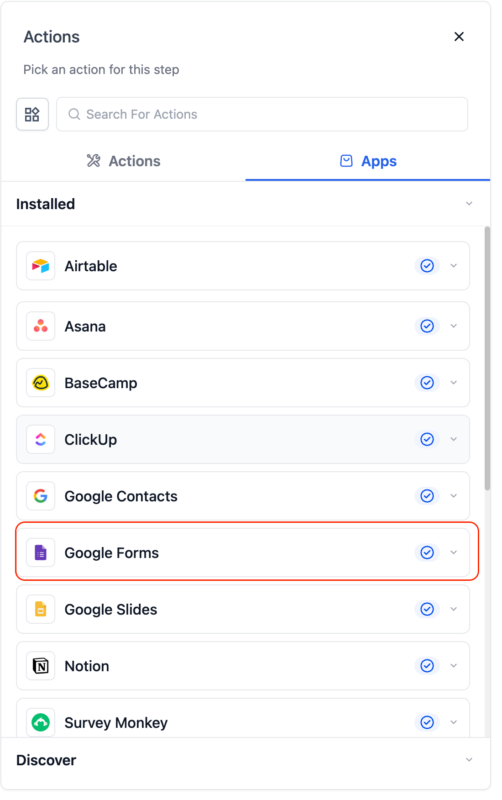
Triggers are just the beginning. The real power comes from the Google Forms actions now available inside workflows.
Find Form by ID
Locate a Google Form using its Form ID. This action supports dynamic values, making it ideal for advanced workflows.
Find Form by Name
Select a Google Form from a dropdown list and retrieve its details.
Find Response by ID
Pull a specific response using the Form ID and Response ID. Useful when working with historical data or multi-step workflows.
Find Responses by Form Name
Retrieve all responses from a selected Google Form. Pagination is supported using a next page token, allowing you to process large datasets.
Each action includes Found and Not Found paths, making it easy to build conditional logic without workarounds.
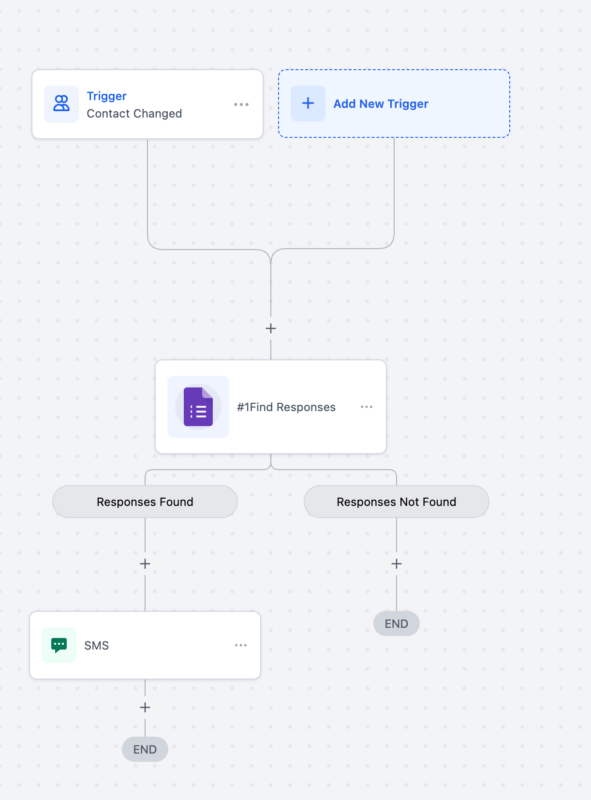
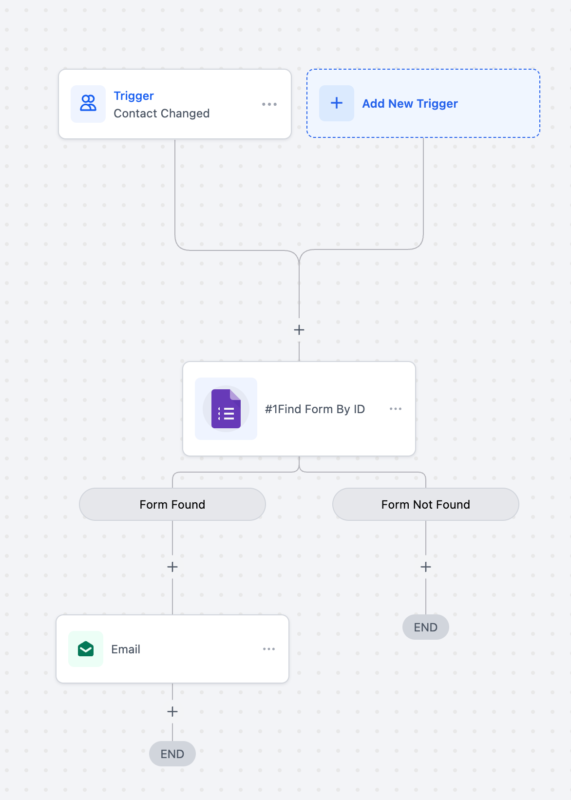
A marketing agency uses a Google Form as a lead intake form.
Workflow flow:
This entire process runs automatically, without manual review.
A coaching business uses Google Forms for applications.
Workflow logic:
Everything is personalized using the form responses.
Google Forms is also perfect for internal workflows.
Examples include:
Responses can trigger tasks, notifications, or internal pipelines automatically.
This connection can be managed or removed at any time.
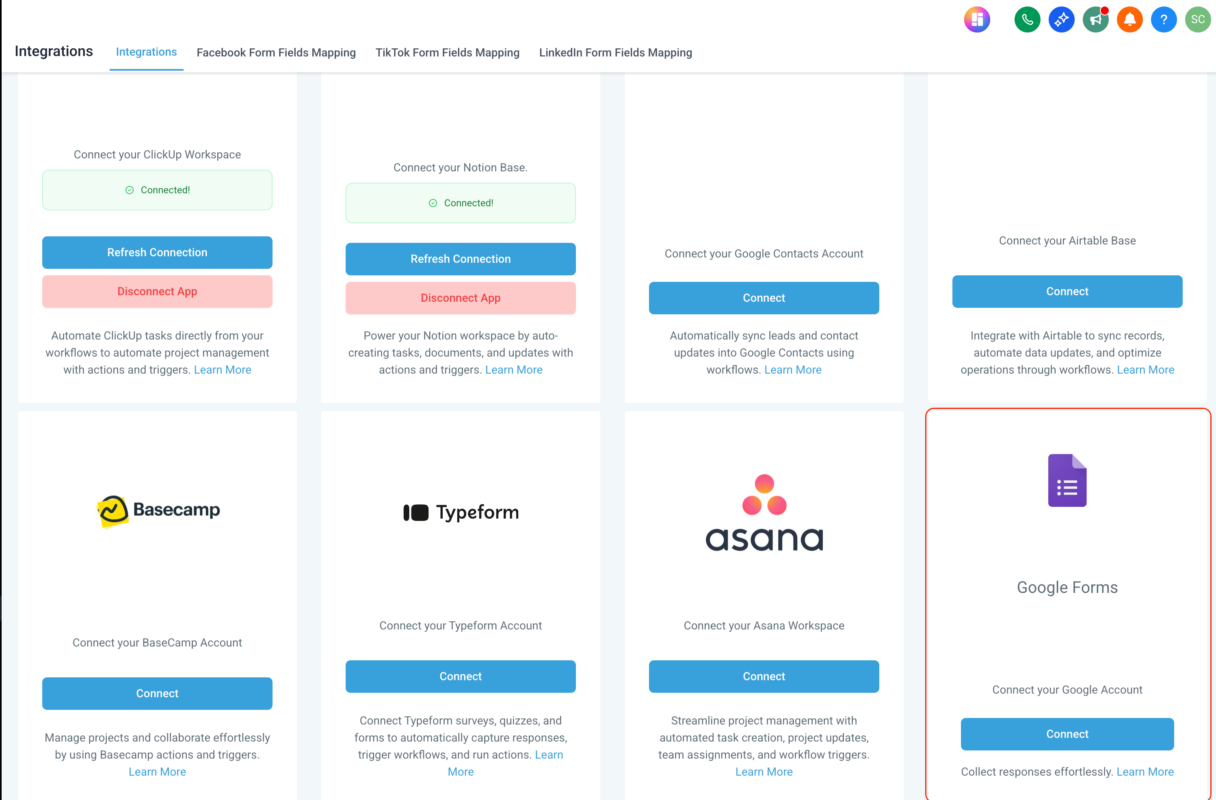
You can immediately test using real or historical form submissions.
Once responses are inside the workflow, you can:
This turns simple form submissions into intelligent automation flows.
Google Forms actions inside workflows are billed at standard automation rates.
What this means:
This often results in lower overall automation costs compared to Zapier or Pabbly, especially at scale.
Despite these limitations, the integration covers the vast majority of form automation use cases.
For most users, yes. Native workflows are faster, cheaper, and more reliable.
Yes. Use Google Forms actions to retrieve historical submissions.
Yes. All responses are available inside If/Else workflow actions.
Absolutely. Responses can be mapped directly to custom CRM fields.
Responses are checked every 5 minutes, providing near real-time automation.
The native Google Forms integration inside GoHighLevel Workflows is a major step forward for automation-first businesses. It removes unnecessary complexity, reduces costs, and allows Google Forms to function as a powerful intake tool directly inside HighLevel.
If you already rely on Google Forms, this feature alone can streamline your entire automation stack and unlock smarter, more scalable workflows.

If you’ve ever struggled with A2P 10DLC registration, you know how confusing and rejection-prone the process can be. One small

Build Powerful Workflows Just by Speaking Imagine building a complete automation without typing a single word. No clicking through triggers.

Design smarter. Move faster. Stop switching tabs. If you’ve ever designed something in Canva, downloaded it, uploaded it into your

The Smart Way to Re-Engage Leads Without Manual Work Leads don’t always ghost you on purpose. Sometimes they get busy.

AI automation is evolving fast. If you’ve ever wished you could fully control AI tasks inside your CRM without relying

Build Powerful Workflows Just by Speaking Imagine creating an entire workflow without touching your keyboard. No typing. No complicated setup.

Pick a design that fits your brand.

Integrate it seamlessly.

Tailor it to your business needs.

Start generating leads and sales.
No account yet?
Create an AccountWe use cookies to improve your experience on our site. By using our site, you consent to cookies.
Websites store cookies to enhance functionality and personalise your experience. You can manage your preferences, but blocking some cookies may impact site performance and services.
Essential cookies enable basic functions and are necessary for the proper function of the website.
These cookies are needed for adding comments on this website.
Google reCAPTCHA helps protect websites from spam and abuse by verifying user interactions through challenges.
These cookies are used for managing login functionality on this website.
Stripe is a payment processing platform that enables businesses to accept online payments securely and efficiently.
Service URL: stripe.com (opens in a new window)
Statistics cookies collect information anonymously. This information helps us understand how visitors use our website.
Google Analytics is a powerful tool that tracks and analyzes website traffic for informed marketing decisions.
Service URL: policies.google.com (opens in a new window)
Clarity is a web analytics service that tracks and reports website traffic.
Service URL: clarity.microsoft.com (opens in a new window)
SourceBuster is used by WooCommerce for order attribution based on user source.
You can find more information in our Privacy Policy and .



