🎈Winter Savings Special Sale 🎁
00
DAYS
00
HRS
00
MINS
00
SECS


Have you ever sent out a text campaign in HighLevel only to find that your messages never reached your contacts? Those little red triangles are more than just annoying—they signal issues that can affect your deliverability, compliance, and even your reputation.
SMS delivery failures are more common than you’d think, but the good news is they’re usually easy to diagnose and fix once you know what to look for. Whether it’s invalid numbers, user opt-outs, or unregistered sender IDs, this guide will help you decode those SMS errors like a pro.
Unsuccessful SMS errors occur when your message fails to reach the intended recipient. This can happen for a variety of reasons—from technical restrictions and carrier filtering to invalid phone numbers or opt-outs.
In HighLevel, most SMS errors originate from carrier rules or issues with Twilio or LC Messaging infrastructure. These are flagged with specific error codes inside the platform, giving you the clues you need to troubleshoot the problem.
Understanding what these errors mean—and what causes them—is more than just troubleshooting. It’s part of building a reliable communication strategy. Here’s why it matters:
Understanding what’s going wrong starts with knowing where to look.
Head over to the Conversations tab in your HighLevel account. Locate the SMS thread that failed to send.
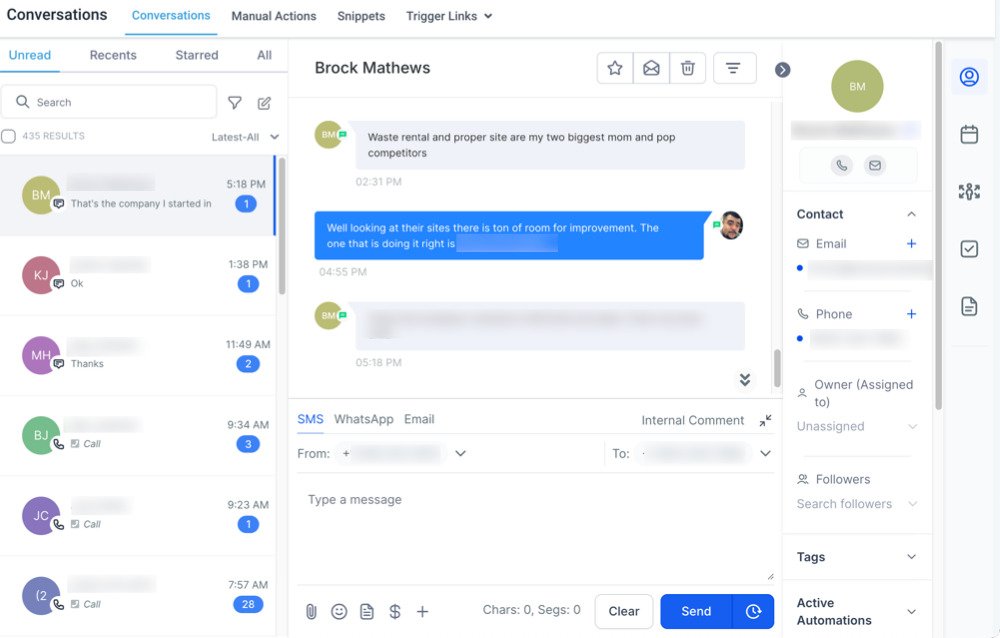
Look for the red triangle icon beside the failed message.
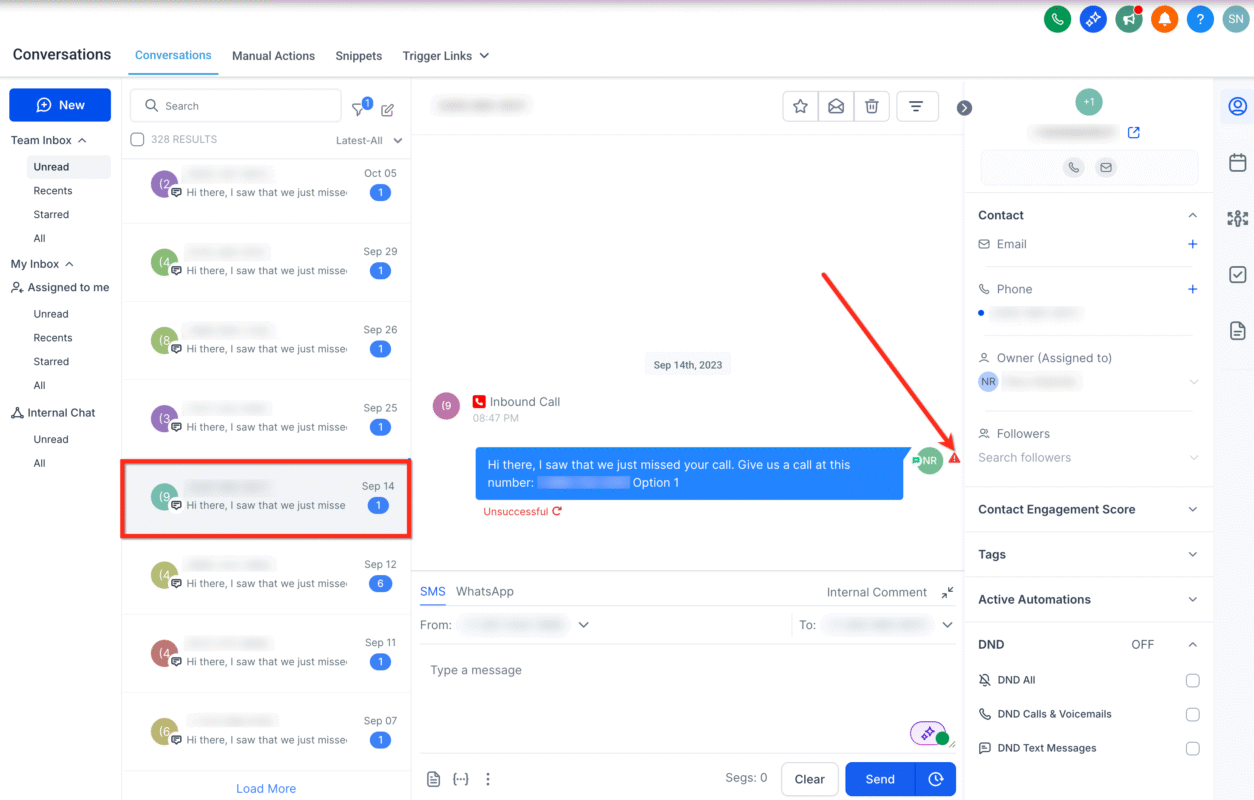
Hover your mouse over the triangle. You’ll see a short description of the error along with a numeric code like “Error 21610” or “Error 30007.”
This code tells you exactly what kind of problem you’re dealing with—whether it’s an opt-out, blocked number, or registration issue.
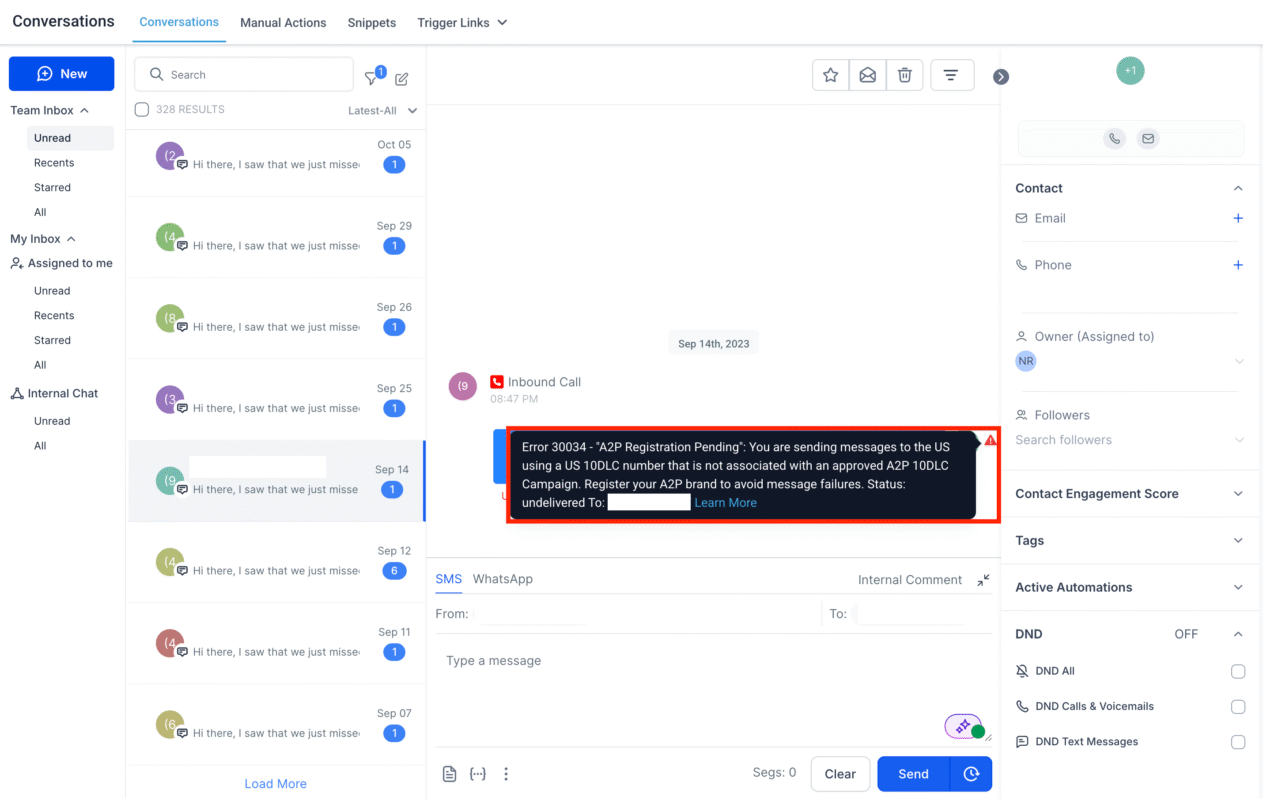
Here’s a simplified breakdown of the most frequent SMS delivery errors inside HighLevel, what they mean, and how to solve them.
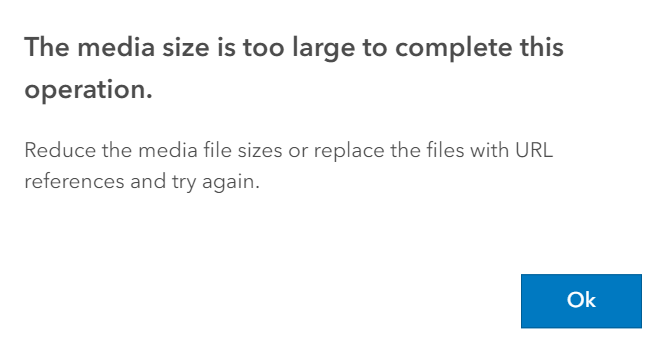
If you’re trying to send a video or image and it fails, chances are the file size is over the carrier limit.
Fix it: Resize or compress the file to be under 5MB.
The recipient has previously unsubscribed by replying with “STOP.”
Fix it: They’ll need to send “START” to your number to re-opt in. Never attempt to resend unless they do.
Your sending number can’t reach the recipient due to country or carrier limitations.
Fix it: Use a local or internationally-enabled number depending on your recipient’s location.
Your account with Twilio may have been paused due to billing or compliance issues.
Fix it: Contact Twilio support and resolve the suspension before sending additional messages.
Messages sometimes fail because the recipient’s phone is temporarily off or unreachable.
Fix it: Try again later. If it continues to fail, verify if the number is still active.
The content of your message triggered carrier spam filters.
Fix it: Avoid spammy content like all-caps, exaggerated claims, or shortened links. Always include your business name for credibility.
Landlines cannot receive text messages.
Fix it: Use HighLevel’s number validation to scrub your contact list before messaging.
Messages can be silently blocked if carriers flag them as spam.
Fix it: Use conversational, personalized messaging. Avoid generic promotions and register your number with A2P 10DLC.
You’re sending from a U.S. 10-digit number that’s not associated with a registered messaging campaign.
Fix it: Complete your A2P 10DLC registration via Twilio Trust Hub and associate your number with an approved campaign.
Sometimes there’s no clear reason for a failure, and you’ll see a generic error.
Fix it: Try modifying the message content, test with another number, or contact support if it persists.
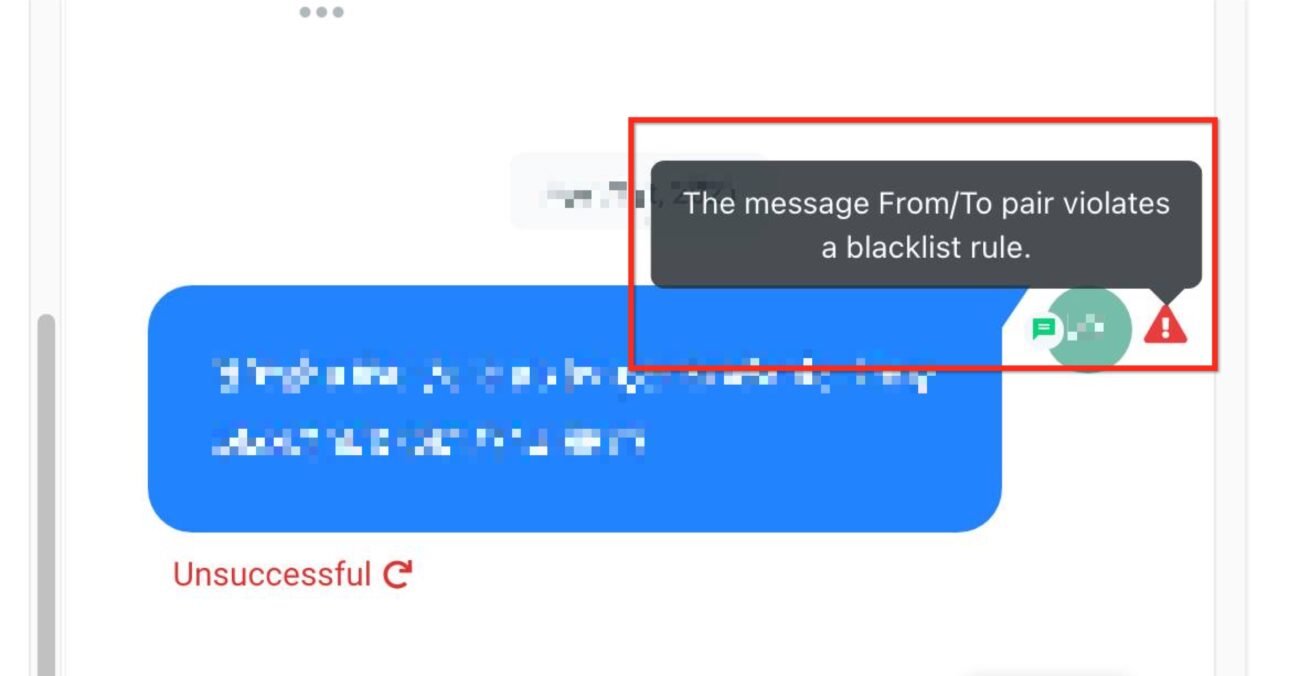
This often happens when trying to send an image or media hosted on a misconfigured domain.
Fix it: Make sure your DNS settings point your domain to brand.ludicrous.cloud. Use MXToolbox to confirm your CNAME records.
Understanding your messaging costs helps avoid surprises—especially when failed messages still incur charges.
| Service | US/Canada Pricing |
|---|---|
| Outbound SMS | $0.0079 per segment |
| Inbound SMS | $0.0079 per segment |
| Outbound MMS | $0.0200 per segment |
| Inbound MMS (Local) | $0.0100 per segment |
| Local Phone Number | $1.15 per month |
| Toll-Free Phone Number | $2.15 per month |
| Phone Validation Lookup | $0.005 per check |
Note: A single message may span multiple segments depending on length and characters used.
They need to text “START” to your number to resubscribe.
Yes, but edit your content first—remove any flagged phrases or formatting issues.
Yes, create a workflow that triggers internal notifications or tags when a message fails.
Use HighLevel’s phone validation feature or external lookup tools.
Once a message is queued for sending, it incurs a charge—even if delivery fails.
Understanding SMS errors isn’t just a tech task—it’s a growth strategy. When your messages consistently land in your customers’ inboxes, everything from engagement to revenue improves. By taking a few proactive steps like validating your lists, registering your numbers, and cleaning up your content, you can minimize message failures and maximize your results.
Ready to take action?
📘 Complete your A2P 10DLC Registration

If you’ve ever struggled with A2P 10DLC registration, you know how confusing and rejection-prone the process can be. One small

Build Powerful Workflows Just by Speaking Imagine building a complete automation without typing a single word. No clicking through triggers.

Design smarter. Move faster. Stop switching tabs. If you’ve ever designed something in Canva, downloaded it, uploaded it into your

The Smart Way to Re-Engage Leads Without Manual Work Leads don’t always ghost you on purpose. Sometimes they get busy.

AI automation is evolving fast. If you’ve ever wished you could fully control AI tasks inside your CRM without relying

Build Powerful Workflows Just by Speaking Imagine creating an entire workflow without touching your keyboard. No typing. No complicated setup.

Pick a design that fits your brand.

Integrate it seamlessly.

Tailor it to your business needs.

Start generating leads and sales.
No account yet?
Create an AccountWe use cookies to improve your experience on our site. By using our site, you consent to cookies.
Websites store cookies to enhance functionality and personalise your experience. You can manage your preferences, but blocking some cookies may impact site performance and services.
Essential cookies enable basic functions and are necessary for the proper function of the website.
These cookies are needed for adding comments on this website.
Google reCAPTCHA helps protect websites from spam and abuse by verifying user interactions through challenges.
These cookies are used for managing login functionality on this website.
Stripe is a payment processing platform that enables businesses to accept online payments securely and efficiently.
Service URL: stripe.com (opens in a new window)
Statistics cookies collect information anonymously. This information helps us understand how visitors use our website.
Google Analytics is a powerful tool that tracks and analyzes website traffic for informed marketing decisions.
Service URL: policies.google.com (opens in a new window)
Clarity is a web analytics service that tracks and reports website traffic.
Service URL: clarity.microsoft.com (opens in a new window)
SourceBuster is used by WooCommerce for order attribution based on user source.
You can find more information in our Privacy Policy and .



