



DashClicks vs GoHighLevel – Which CRM is the Best Fit for Your Agency?
If you’ve been researching CRM platforms for your agency, chances are you’ve come across DashClicks and HighLevel.Both promise to help
Contents
If you’ve been researching CRM platforms for your agency, chances are you’ve come across DashClicks and HighLevel.
Both promise to help agencies streamline operations, manage clients, and deliver results more efficiently. But here’s the truth—the two platforms have very different strengths and can lead your agency down completely different paths.
DashClicks shines when it comes to client reporting and analytics, making it easy to give clients a polished dashboard showing exactly what’s happening with their campaigns. HighLevel, on the other hand, is a complete sales, marketing, and automation powerhouse, capable of running your lead generation, nurturing, reviews, and even reselling as your own SaaS.
In this guide, you’ll get a detailed comparison of DashClicks vs HighLevel, including separate pricing tables, workflow examples, and how a niche-specific HighLevel snapshot can give you a head start.
Key Takeaways
- DashClicks is best for agencies focused primarily on reporting, analytics, and SEO tools
- HighLevel is best for agencies wanting full CRM + automation + AI + SaaS resale
- HighLevel’s snapshots let you launch with funnels, workflows, and campaigns in minutes
- Pricing is competitive, but HighLevel replaces more tools in one subscription
- HighLevel offers more growth potential with automation, AI, and white-label resale options
Platform Overviews
HighLevel Overview
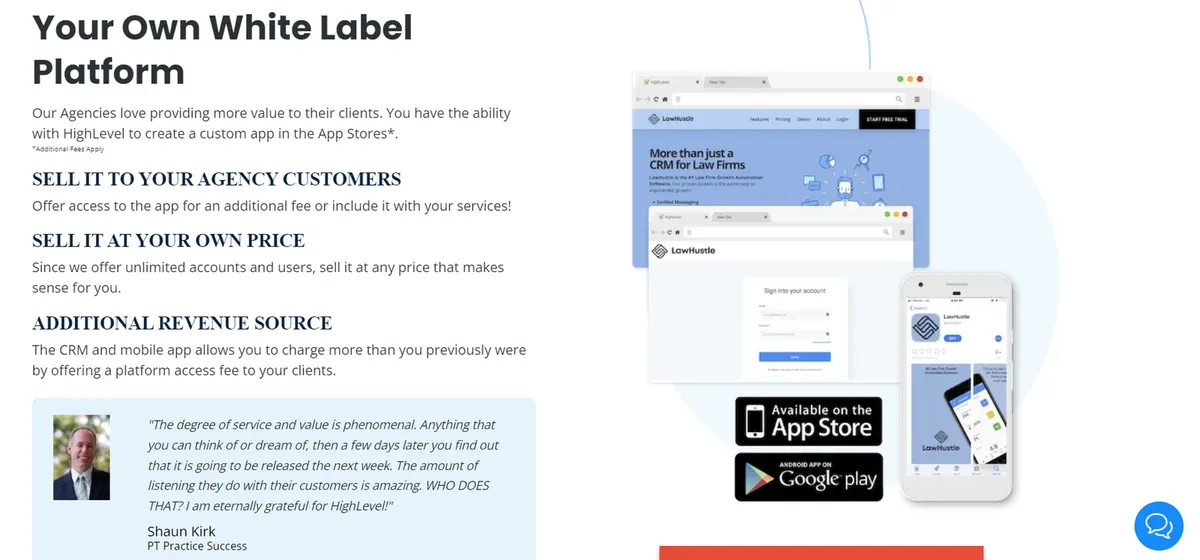
HighLevel is a full-scale marketing, sales, and automation platform built to replace dozens of separate tools. It’s designed for agencies that want to manage leads, run campaigns, automate follow-ups, and even resell the software under their own brand.
Key Features
- CRM with unlimited pipelines
- Workflow automation builder
- Conversation AI for SMS, chat, and social DMs
- Reviews AI to request and respond to client reviews automatically
- SaaS Mode to sell your own branded CRM
- Snapshot imports for instant setup
DashClicks Overview
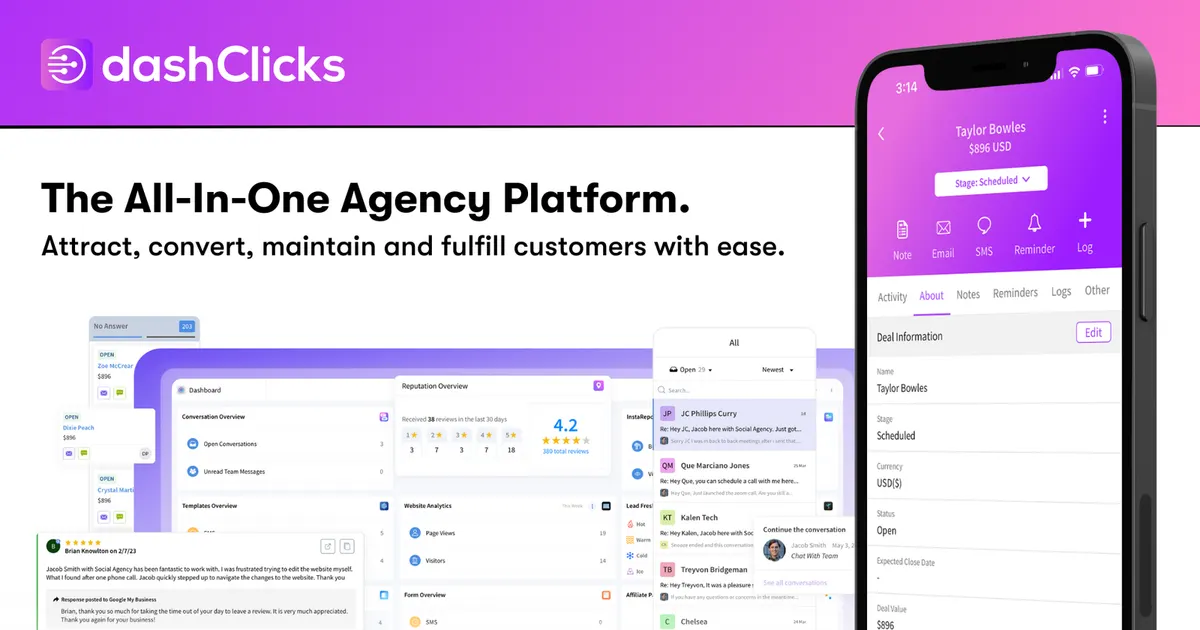
DashClicks has made a name for itself as an agency-focused reporting and client management platform. It’s clean, easy to navigate, and gives clients transparent reporting on SEO, PPC, and social media performance.
Strengths
- White-label dashboard for client reporting
- Built-in analytics and SEO tools
- Ready-to-use templates for reporting
Limitations
- Limited automation beyond lead reporting
- No built-in AI conversation bots
- No SaaS resale option
DashClicks is great if your primary value to clients is reporting and analytics, but it’s not built to run full marketing campaigns or automate sales follow-ups.
Feature Comparison Table
| Feature | DashClicks | HighLevel |
|---|---|---|
| Client Reporting & Analytics | ✅ Strong reporting dashboard with SEO, PPC, and social analytics | ✅ Reporting plus full CRM pipeline tracking |
| Workflow Automation | ❌ Limited triggers and actions | ✅ Advanced automation builder with triggers, conditional logic, and multi-step workflows |
| AI Tools | ❌ None | ✅ Conversation AI, Reviews AI, Content AI, Workflow AI |
| Review Management | ❌ Basic review monitoring | ✅ Automated review requests with AI-powered responses |
| Funnels & Landing Pages | ❌ Requires third-party tools | ✅ Built-in funnel and website builder |
| Email & SMS Marketing | ❌ Limited integrations | ✅ Native multi-channel campaigns (SMS, email, calls, WhatsApp) |
| Appointment Booking | ❌ No integrated booking system | ✅ Built-in calendar and booking tools |
| CRM & Pipeline Management | ❌ Basic contact lists | ✅ Full pipeline tracking with deal stages and automation triggers |
| White-Label SaaS Resale | ❌ Not available | ✅ SaaS Mode to resell as your own CRM |
| Snapshot Deployment | ❌ No | ✅ Instant import of funnels, workflows, and automations |
| Custom Objects | ❌ No | ✅ Create and link custom objects for niche data tracking |
| Third-Party Integrations | ✅ Supports some API and marketing integrations | ✅ Supports native integrations + Zapier + API |
| Mobile App | ✅ Yes | ✅ Yes (includes mobile pipeline, chat, and automation access) |
Pricing Breakdown
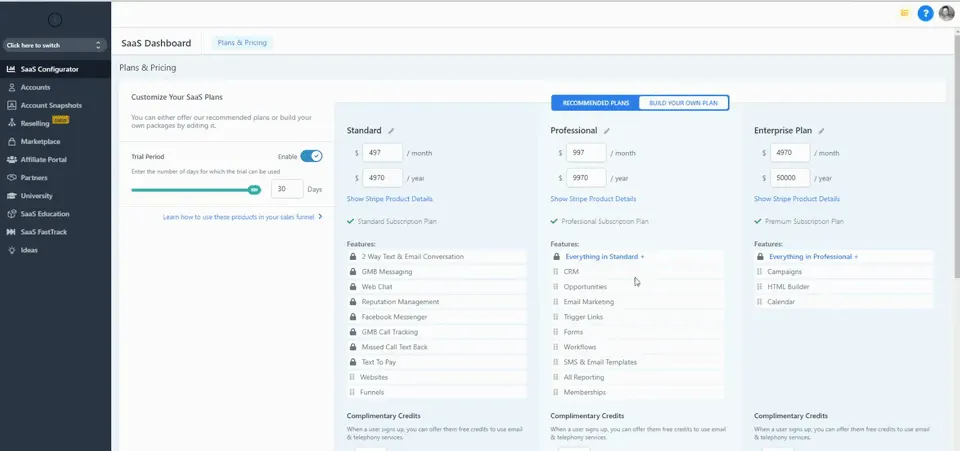
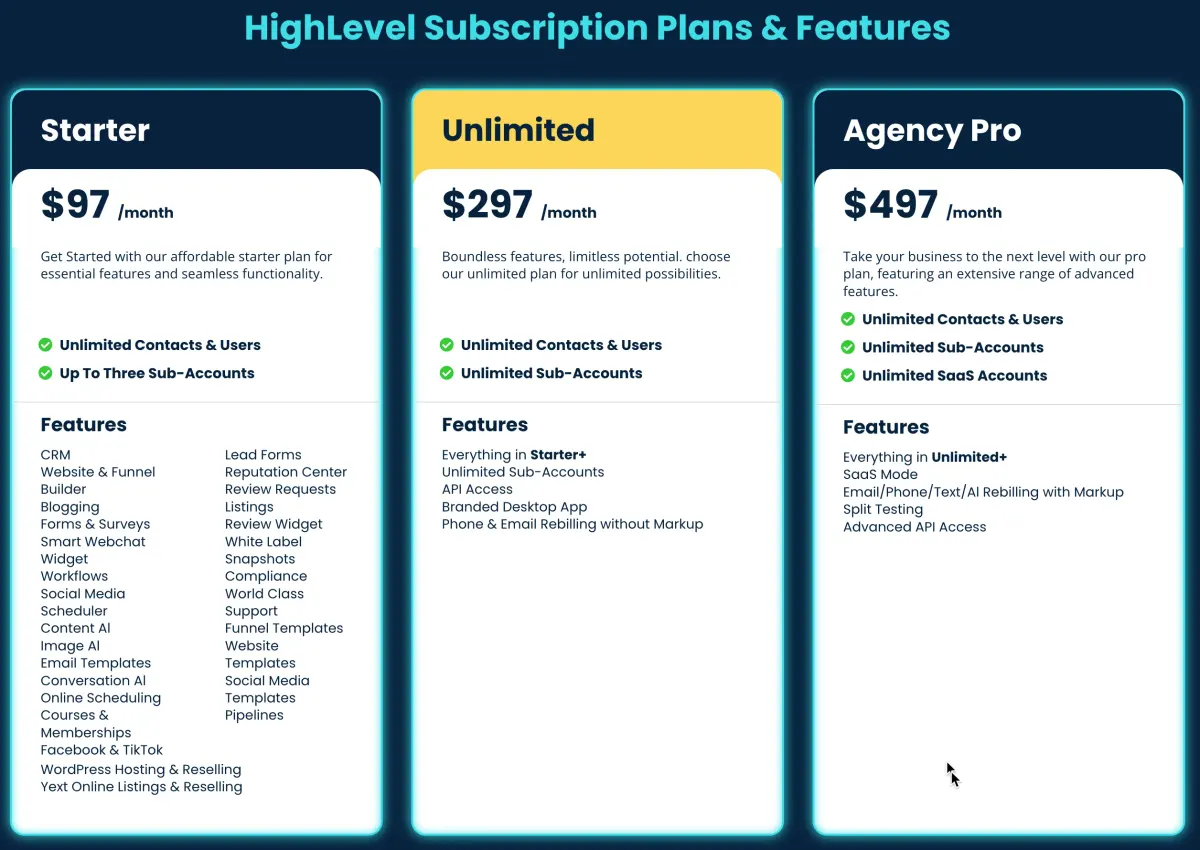
HighLevel Pricing
| Plan | Monthly Price | Features |
|---|---|---|
| Agency Starter | $97 | 3 sub-account, CRM, automation, funnels, pipelines |
| Agency Unlimited | $297 | Unlimited sub-accounts, advanced automation, AI tools |
| SaaS Mode | $497 | Unlimited accounts + white-label SaaS resale + billing system |
Note: HighLevel AI features are pay-per-use but inexpensive (e.g., Conversation AI at $0.02/message, Voice AI at $0.13/min).
DashClicks Pricing
| Plan | Monthly Price | Features |
|---|---|---|
| Starter | $97 | Basic reporting dashboard, SEO tools, limited integrations |
| Pro | $297 | Includes white-label dashboard, more integrations, team accounts |
| Plus | $597 | Advanced reporting, unlimited client accounts, priority support |
Best Use Cases for Each Platform
DashClicks
- Agencies focused mainly on client reporting
- Teams with existing marketing automation tools
- Businesses that don’t need in-platform sales pipelines
GoHighLevel
- Agencies focused mainly on client reporting
- Teams with existing marketing automation tools
- Businesses that don’t need in-platform sales pipelines
Conclusion
If you need pure reporting and client dashboards, DashClicks is a great fit.
But if you want a full marketing and sales engine with automation, AI, and the ability to resell your own CRM, HighLevel is the clear winner.
And when you add a niche-specific HighLevel snapshot, you can be fully operational with proven workflows, funnels, and campaigns in just a few days — not months.
Quick answers
Frequently asked questions
Is DashClicks easier to use than HighLevel?
Yes, DashClicks has a simpler dashboard, but HighLevel offers more tools once you become familiar with it.
Does HighLevel cost more than DashClicks?
Not necessarily — HighLevel’s $297 unlimited plan often replaces several other paid tools.
Can I migrate from DashClicks to HighLevel?
Yes, and using a snapshot makes it faster by preloading funnels and automations.
Does DashClicks have AI tools?
No, it focuses on reporting, not AI-driven marketing.
Can I resell HighLevel as my own software?
Yes, with SaaS Mode you can white-label and bill clients under your brand.
Where this leaves you
Skip the build. Import a working GoHighLevel account instead.
Everything above is buildable by hand, and most people never finish. A snapshot is the same setup already made: funnels, pipelines, calendars, the prebuilt website and the automations, written for one industry and wired together before it reaches you.
- Delivered within 24 hours by email
- Install on unlimited sub-accounts you manage
- 20 hours of setup help across 15 days
Keep reading
All articles
HubSpot vs HighLevel: Why HighLevel Stands Out in Email Marketing
Email marketing has become a cornerstone of digital marketing strategies, and selecting the right platform can significantly impact business success.
October 29, 20255 min read
GoHighLevel CRM vs Systeme.io: Which CRM is Best for Your Business?
Choosing the right CRM platform is crucial for business growth. It can streamline your marketing efforts, improve customer relationships, and
May 14, 20254 min read
GoHighLevel vs Vendasta: Which CRM is Best for Your Agency in 2025?
GoHighLevel vs Vendasta: Which CRM is Best for Your Agency in 2025? Choosing the right all-in-one platform can be the
May 2, 20254 min read